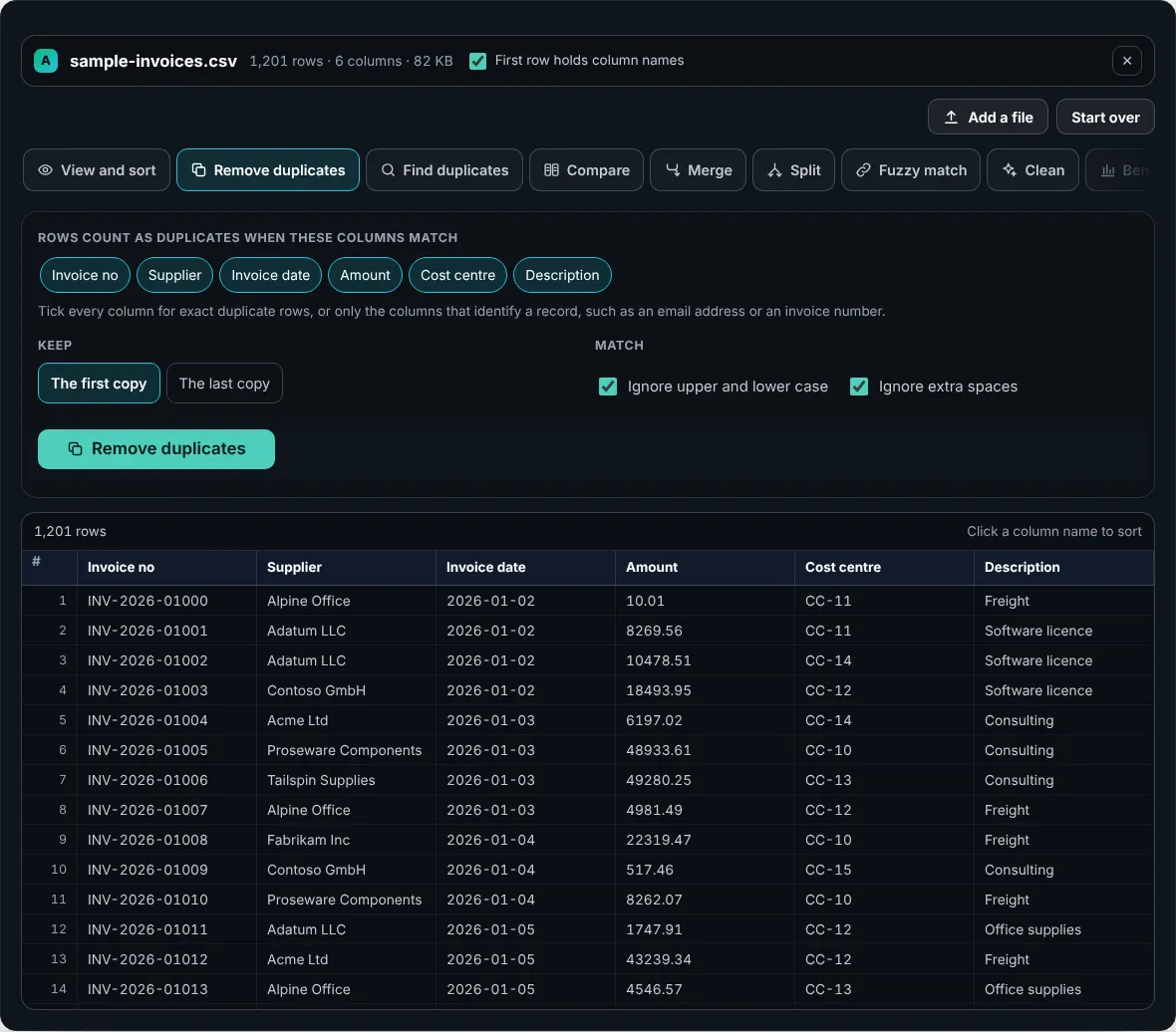
How to remove duplicates
- Drop your Excel or CSV file on the page, or press Try it with a sample invoice list.
- Under Rows count as duplicates when these columns match, keep every column ticked for exact duplicate rows, or tick only the columns that identify a record, such as an email address, a customer number or an invoice number.
- Choose whether to keep the first copy or the last copy, then press Remove duplicates.
- Check the result and the Removed rows tab, then download the Excel workbook or a CSV file.
The Excel download holds the cleaned data, the removed rows, every row marked as first copy or duplicate, and a Summary sheet that records the file, the columns used and the counts. That summary is your audit trail: you can show exactly what was removed and why.
Better than Excel's Remove Duplicates button
Excel has a Remove Duplicates button (Data, Remove Duplicates), and for a small sheet it works. It has three weak points that this tool fixes:
- It treats "Smith" and "smith " as different. Here, upper and lower case and extra spaces are ignored by default, so near-identical rows are caught too.
- It deletes without showing you what it removed. Here you see every removed row before you download anything, and the original file is never changed.
- It cannot open big files. Excel stops at 1,048,576 rows and 16,384 columns per sheet. This workbench has no such limit: it reads files in a background thread, keeps repeated values only once in memory, and scrolls through millions of rows smoothly. The real limit is your device's memory; a computer with 8 GB handles files of several million rows.
Exact duplicates, or duplicates on a key
Two rows are duplicates when the chosen columns hold the same values. Tick all columns to remove rows that are identical from start to end, for example after you pasted the same export twice. Tick one or two columns to keep one row per customer, product or invoice, even when other columns such as a timestamp differ. To catch names spelled in different ways, such as "Acme Ltd" and "ACME Limited", use the fuzzy match tool instead.
Files it opens
CSV, TSV and TXT files with any separator (comma, semicolon, tab or pipe) and any common encoding, Excel workbooks (.xlsx and .xlsm, every sheet), JSON and XML.
Where your file goes
Your spreadsheet is opened by your own browser and processed on your own computer or phone. It is never uploaded: there is no server that could see your customers, suppliers, salaries or payments, nothing to delete afterwards, and you can even disconnect from the internet once the page has loaded. That makes it safe for client files, personal data under the GDPR and audit evidence, which you should never send to an online converter that uploads them.
Frequently asked questions
Is it free?
Yes. No account, no row limit, no watermark and no trial. The site is paid for by the adverts on the page.
Is my file uploaded?
No. The file is read and processed by your browser on your own device. Nothing is sent to any server, so it is safe for confidential data.
Which copy is kept?
The first one in the file by default, which matches Excel. Choose The last copy to keep the most recent entry when newer rows are at the bottom.
Does it change my original file?
No. Your file is only read. You download a new file with the duplicates removed.
How many rows can it handle?
Millions. One million rows take about a second on a typical laptop. The limit is your device's memory, not a row count.
Can it open old .xls files?
Not directly. Open the .xls file in Excel, Google Sheets or LibreOffice and save it as .xlsx or .csv first. Modern .xlsx and .xlsm workbooks open directly.