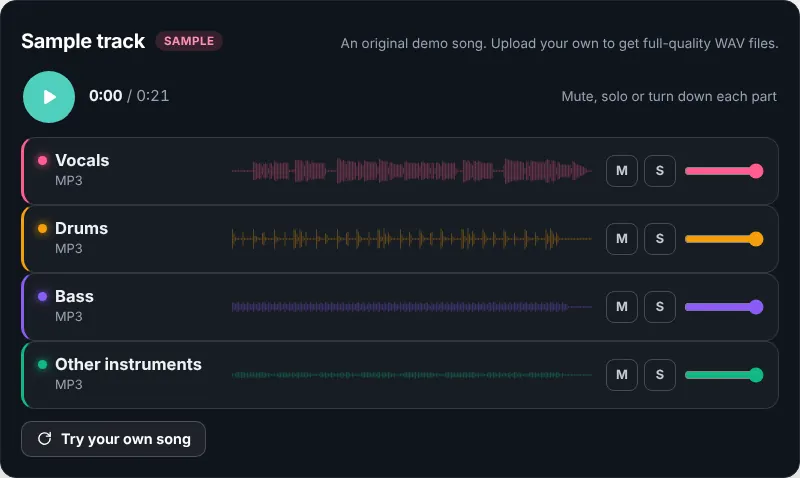
How to split a song into stems
- Upload the song (MP3, WAV, FLAC, M4A, AAC, OGG and OPUS, up to 60 minutes and 500 MB).
- The AI separates it into four parts on our servers.
- Listen to each stem in the page and download the ones you need as WAV files, or all four.
The four stems
| Stem | What it contains |
|---|---|
| Vocals | Lead and backing vocals, with their reverb and effects |
| Drums | Kick, snare, hi-hats, cymbals, toms and most percussion |
| Bass | Bass guitar, synth bass and other low-pitched bass lines |
| Other | Everything else: guitars, keys, strings, brass, pads, synths |
The four stems add up to the original song. Put them in a multitrack editor, line them up at zero, and you hear the original mix again, which makes it easy to rebalance it: louder vocals, quieter drums, no bass.
What stem splitting is good for
- Practising an instrument. Mute your part and play along with the rest of the band. Bass players remove the bass, drummers remove the drums.
- Remixing and DJ edits. Build a new track from the original drums and vocals, or loop a bass line.
- Transcribing parts. Solo the bass or the keys to hear exactly which notes are played.
- Restoring old recordings. Rebalance a mix where the vocals are buried, or tame drums that are too loud.
- Teaching. Show students how a mix is built by playing one part at a time.
Limits of AI stem separation
The model separates the categories above. It does not split the "other" stem further into guitar, piano and strings, and two instruments in the same range, such as a rhythm guitar and a piano chord, stay together. Electronic music with heavy processing can also blur the line between bass and drums, because a distorted kick drum can sound like a bass note.
For the cleanest stems, upload a lossless file (WAV or FLAC) or a high-bitrate MP3.
Compared with LALAL.AI
| What you get | PC Multiverse | LALAL.AI |
|---|---|---|
| Price | Free | Free Starter plan, then Lite from $7.50 a month (billed $90 a year) |
| Free allowance | 10 files a day, up to 60 minutes each | 10 minutes in total |
| Download your results for free | Yes, full length | No result downloads on the free plan |
| File size | Up to 500 MB | Up to 200 MB |
The trade-off is the queue: our servers are shared by everyone, so at busy times you may wait a few minutes.
LALAL.AI details are from its public pricing page, read on 21 November 2026, and may have changed since. LALAL.AI is a trademark of its owner; we are not affiliated with it.
Frequently asked questions
Can I get a guitar or piano stem?
Not yet. The current model gives four stems, and guitars and keys are in the "other" stem. A six-stem model is on our list.
Do the stems add up to the original?
Yes, almost exactly. Mixed together at their original level they recreate the song, apart from tiny differences you are unlikely to hear.
How long does splitting take?
Four stems take a little longer than a vocal removal, usually one to two minutes for a typical song once your file is at the front of the queue.
Is it really free?
Yes. There is no account, no watermark and no paid tier. The site is paid for by the adverts you see on the page. To keep it fair for everyone there is a daily limit of 10 files per visitor.
What happens to my file?
It is processed on our own servers and deleted automatically, together with the results, 1 hour after you upload it. We do not keep copies, do not share files with anyone, and never use them to train AI models.
Can I use songs I don't own?
Only upload audio you have the right to use: your own recordings, music you have a licence for, or material you use for private practice where the law allows it. Separating a song does not change who owns it. See our copyright page if you are a rights holder.