How to remove background noise from audio
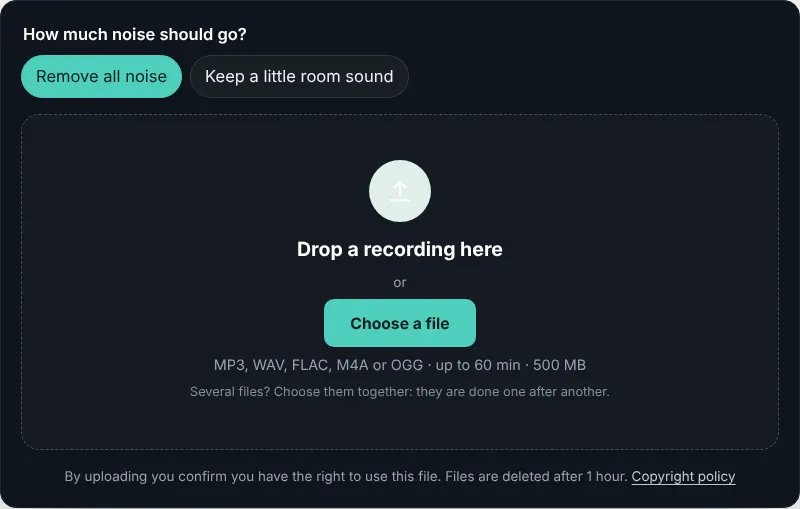
- Upload the recording. MP3, WAV, FLAC, M4A, AAC, OGG and OPUS files up to 60 minutes and 500 MB work. Choose how much noise should go: all of it, or most of it with a little room sound left in.
- The AI cleans it on our servers. A noise suppression network listens to every few milliseconds of the file and keeps only what sounds like a human voice. Most files are ready in a few seconds.
- Compare and download. The player has two lanes: the clean voice and the noise that was taken out. Unmute "Removed noise" to hear the original again, or solo it to check that nothing important went with it.
What it removes
- Steady noise: hiss from a cheap microphone, computer and air-conditioning fans, fridge and electrical hum, road and engine rumble.
- Changing noise: traffic, wind on a phone, keyboard clicks, a café or an office in the background, rain, a dog barking between sentences.
- Room sound: some of the echo of an empty room is reduced too, because it does not sound like the direct voice.
How it works
Classic noise reduction, the kind in older audio editors, needs a "noise profile": you select a few seconds of pure noise and the software subtracts that pattern everywhere. It works for steady hiss, fails as soon as the noise changes, and leaves a watery, metallic sound when pushed hard.
This tool uses DeepFilterNet, an open-source deep-learning noise suppression model built for real-time speech. Instead of subtracting a profile, the network has learned what speech looks like across thousands of hours of voices and noises. It estimates, for each moment and each frequency band, how much of the sound is voice, and rebuilds a clean signal from that. Because it decides moment by moment, it handles noise that changes, and it does not need a quiet passage to learn from.
Tips for the best result
- Use it on speech. The model is made for voices: podcasts, interviews, video narration, lectures, voice notes, calls. It treats music as noise, so it is not the right tool to clean a song. To remove music from speech, use the background music remover.
- Pick "Keep a little room sound" for very noisy files. Removing every trace of heavy noise can make a voice sound slightly dry or "underwater". Leaving about 18 dB of noise reduction instead of the maximum often sounds more natural.
- Clean first, then edit. Run the noise remover on the raw recording, then cut, compress and add music in your editor.
- Upload the original. A WAV or a high-bitrate file from the recorder works better than a version that has already been compressed for messaging apps.
Compared with LALAL.AI
| What you get | PC Multiverse | LALAL.AI |
|---|---|---|
| Price | Free | Free Starter plan, then Lite from $7.50 a month (billed $90 a year) |
| Free allowance | 10 files a day, up to 60 minutes each | 10 minutes in total |
| Download your results for free | Yes, full length | No result downloads on the free plan |
| File size | Up to 500 MB | Up to 200 MB |
The trade-off is the queue: our servers are shared by everyone, so at busy times you may wait a few minutes.
LALAL.AI details are from its public pricing page, read on 21 November 2026, and may have changed since. LALAL.AI is a trademark of its owner; we are not affiliated with it.
Frequently asked questions
Will it remove music from a recording?
It will reduce it, because the model keeps only voices, but music is a different job. For speech with music underneath, the background music remover gives cleaner results.
Does it change my voice?
On normal recordings it keeps the voice as it is. On very noisy files the voice can sound a little drier. Choose "Keep a little room sound" to soften the effect.
Can I hear what was removed?
Yes. The results include the removed noise as its own lane and WAV file. Play it on its own to check that no words went with it.
Does it work on video?
Use the video noise remover: it cleans the sound and puts it back into your video without touching the picture.
Is it really free?
Yes. There is no account, no watermark and no paid tier. The site is paid for by the adverts you see on the page. To keep it fair for everyone there is a daily limit of 10 files per visitor.
What happens to my file?
It is processed on our own servers and deleted automatically, together with the results, 1 hour after you upload it. We do not keep copies, do not share files with anyone, and never use them to train AI models.
Can I use songs I don't own?
Only upload audio you have the right to use: your own recordings, music you have a licence for, or material you use for private practice where the law allows it. Separating a song does not change who owns it. See our copyright page if you are a rights holder.