How to add a watermark to a PDF
- Drop your PDF on the page.
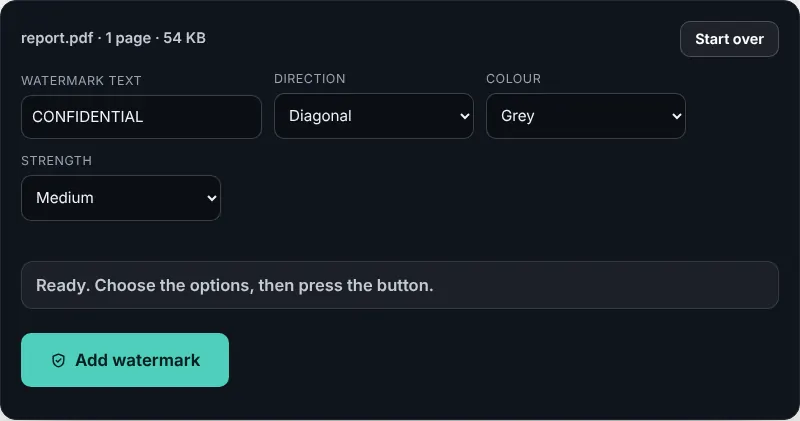
- Type the watermark text, for example CONFIDENTIAL, DRAFT, COPY or your company name.
- Choose diagonal or across, the colour and how strong it should be.
- Press Add watermark and download the PDF. A preview of the first page shows the result.
The watermark is see-through, so the page underneath stays readable, and it is sized to fit every page, also landscape ones.
Watermark or password?
A watermark shows where a copy came from and that it is not final. To stop people opening a document at all, add a password with Protect PDF.
Where your file goes
Your file is processed by your own browser, on your own device. It is never uploaded, so there is no file limit, no daily limit and no watermark of ours, and private documents stay private.
Compared with iLovePDF
| What you get | PC Multiverse | iLovePDF |
|---|---|---|
| Price | Free | Free Basic plan, then Premium at $9 a month (or $60 a year) |
| Free limits | No daily limit, no file count limit | “Limited document processing” on the free plan |
| File size | Limited only by your device's memory | For example 100 MB per Merge task, 200 MB for Compress, 25 MB for PDF to JPG |
Because everything runs in your browser, very large PDFs depend on how much memory your device has.
iLovePDF details are from its public pricing page, read on 21 November 2026, and may have changed since. iLovePDF is a trademark of its owner; we are not affiliated with it.
Frequently asked questions
Is Watermark PDF free?
Yes. No limit, no account, and no watermark of ours on top of yours.
Can I use any language?
Yes. Greek, accented letters and most alphabets work.
Can the watermark be removed?
It is written into each page, so it cannot be switched off in a normal PDF reader. Like any watermark, a determined person with an editor could cover it.
Is my PDF uploaded?
No. Everything happens in your browser.