Choose an email in the list to read it.
EML file viewer
Someone sent you an .eml file, or you found a folder full of them? Drop them here to read every email with its attachments, search through them and save what you need.
Your file stays on your device. This tool works inside your browser. The file is not uploaded to us or to anyone else. How we handle files
0%
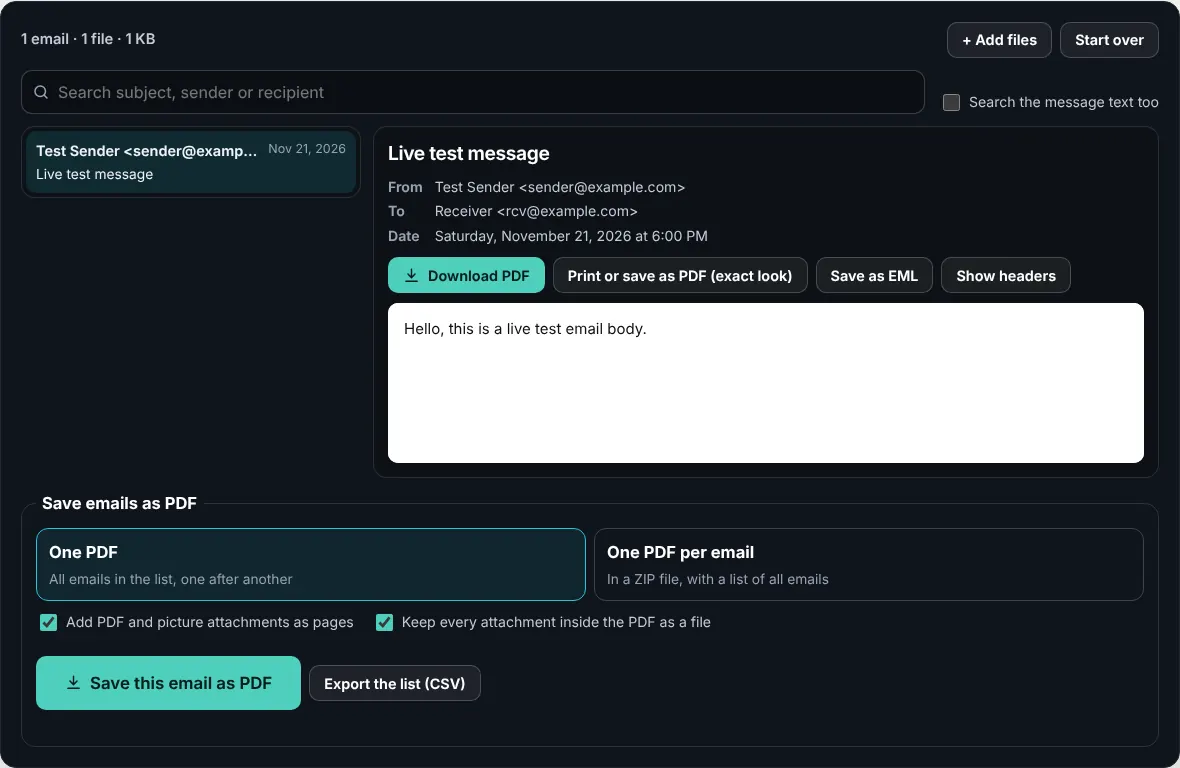
How to open an EML file
- Drop the .eml file on the page, or choose it. Several files, or a folder's worth, work the same way.
- The emails appear in a list, newest first. Click one to read it.
- Click an attachment to save it. If the attachment is itself an email, it opens right here.
What you can do with your emails
- Search by subject, sender or recipient, and tick Search the message text too to look inside every email.
- Save attachments one by one.
- Show headers to see the full technical header: the servers an email passed through, its message ID and the spam checks. That is how IT teams check whether an email was really sent by who it claims.
- Save as PDF, one email or all the emails you found, for an archive, a complaint or a court case.
Safe to open
An EML file from a stranger can contain tracking pictures and links to fake websites. This viewer never runs code from an email, blocks pictures from the internet until you choose Show pictures, and opens links in a new tab, so you can look at a suspicious email without the sender knowing.
Where your file goes
Email files are full of private things: names, addresses, contracts, invoices and conversations. Online converters upload them to their servers. This one reads them in your own browser, so nothing leaves your device, nothing is stored and there is no size or daily limit. You can even go offline after the page has loaded.
Frequently asked questions
How do I open an EML file without Outlook?
Drop it on this page. It opens in your browser on Windows, Mac, Linux, iPhone and Android, without any program.
Is it safe to open a suspicious EML file here?
Yes. Scripts are never run, pictures from the internet are blocked until you allow them, and the file is not uploaded anywhere.
Can I see the email headers?
Yes. Press Show headers to read the full header, for example to check where an email really came from.
Can I open several EML files at once?
Yes. Drop them together. They appear in one list you can search.
Is the EML viewer free?
Yes, with no account and no limit.