How to check for duplicate payments
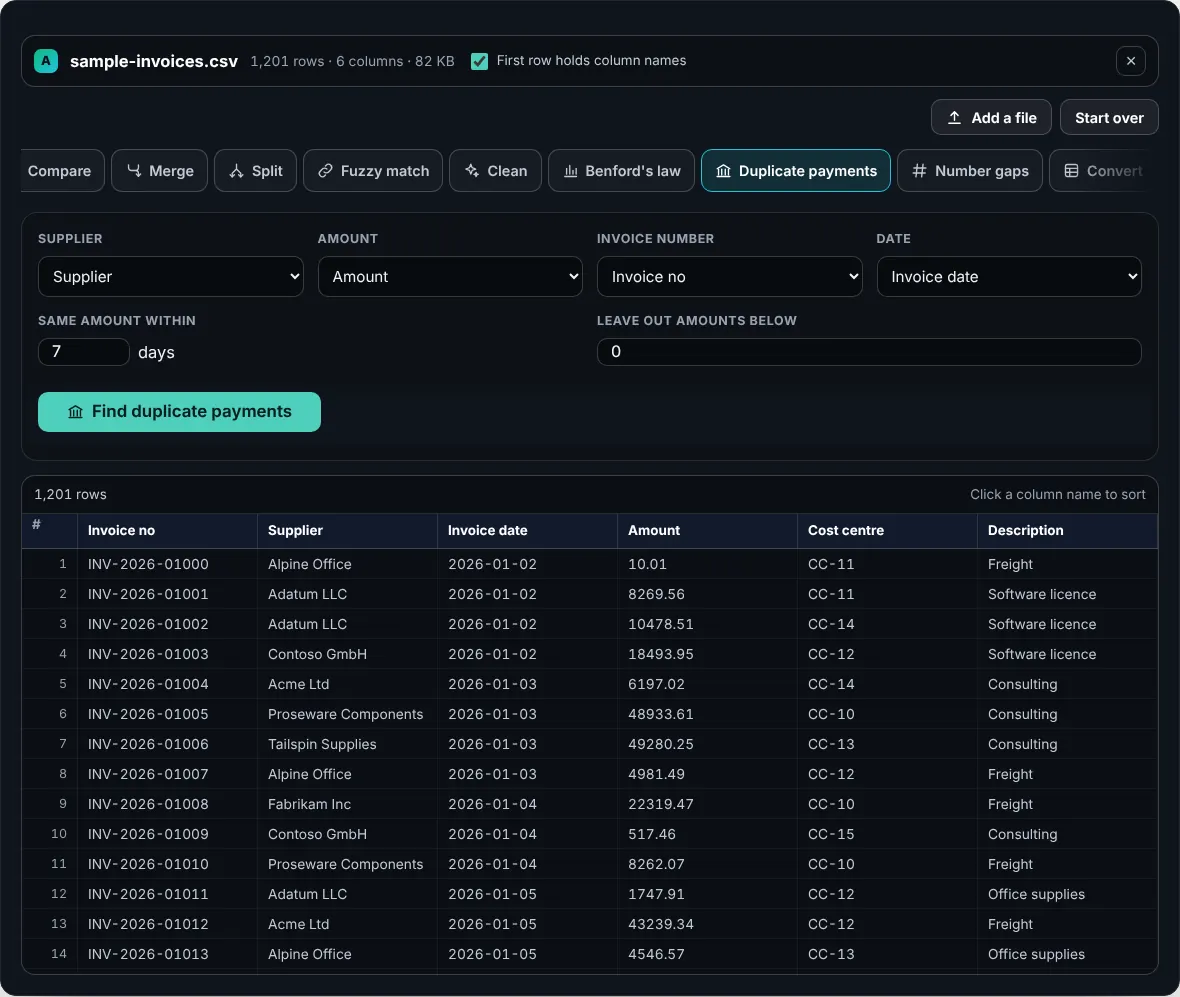
- Export the paid invoices or payments from your accounting system to Excel or CSV: supplier, amount, and ideally invoice number and date.
- Drop the file on the page. The supplier, amount, invoice number and date columns are recognised by their names; check them.
- Set the window for Same amount within (7 days by default) and press Find duplicate payments.
- Review the groups. The Excel download lists every flagged payment with its group, the check that found it and the risk, plus a summary sheet for your working papers.
The five checks
- Same supplier and invoice number (high risk): the same invoice entered twice, often once by hand and once from a scan. Invoice numbers are compared without spaces, dashes and leading zeros, so INV-00123 and INV 123 are the same.
- Same supplier, amount and date (high risk): a payment run made twice, or one invoice booked under two numbers.
- Same invoice number and amount, different supplier (medium): the same invoice booked against two supplier records, a sign of duplicate supplier master data.
- Same supplier and amount within a few days (medium): a resubmitted invoice with a new number or date.
- Same supplier and amount, invoice numbers one typing slip apart (medium): 10045 and 10054, 2026-118 and 2026-118A, O and 0. A different last digit alone is not flagged, because 1001 and 1002 are usually two real monthly invoices.
Supplier names are compared without case, punctuation and company endings, so Acme Ltd and ACME LIMITED count as one supplier. Each payment group is listed once, under the strongest check that found it.
Why it matters
Duplicate payments are among the most common and most recoverable losses in accounts payable. They rarely come from fraud: an invoice arrives by email and by post, a supplier sends a reminder that is booked as a new invoice, or two systems feed the same ledger. Recovery audit firms are paid a share of what they find; this test gives you the same first list for free. Confirm every flagged pair against the documents before asking a supplier for a refund: rent, subscriptions and instalments are often the same amount every period.
Next, look for gaps in invoice numbers or run a Benford's law test on the same file.
Where your file goes
Your spreadsheet is opened by your own browser and processed on your own computer or phone. It is never uploaded: there is no server that could see your customers, suppliers, salaries or payments, nothing to delete afterwards, and you can even disconnect from the internet once the page has loaded. That makes it safe for client files, personal data under the GDPR and audit evidence, which you should never send to an online converter that uploads them.
Frequently asked questions
Is it free?
Yes. No account, no row limit, no watermark and no trial. The site is paid for by the adverts on the page.
Is my file uploaded?
No. The file is read and processed by your browser on your own device. Nothing is sent to any server, so it is safe for confidential data.
Which columns do I need?
At least supplier and amount. Add the invoice number and the date to run all five checks; without them only the checks that need them are skipped.
Why are some flagged payments not duplicates?
Regular payments such as rent or subscriptions have the same amount every period. Check the invoice documents; the risk level tells you which groups to review first.
Can I check customer receipts or expense claims too?
Yes. Use the customer or employee as the supplier column; the checks work the same way.
How large can the file be?
Hundreds of thousands of payments are checked in seconds on a normal laptop.