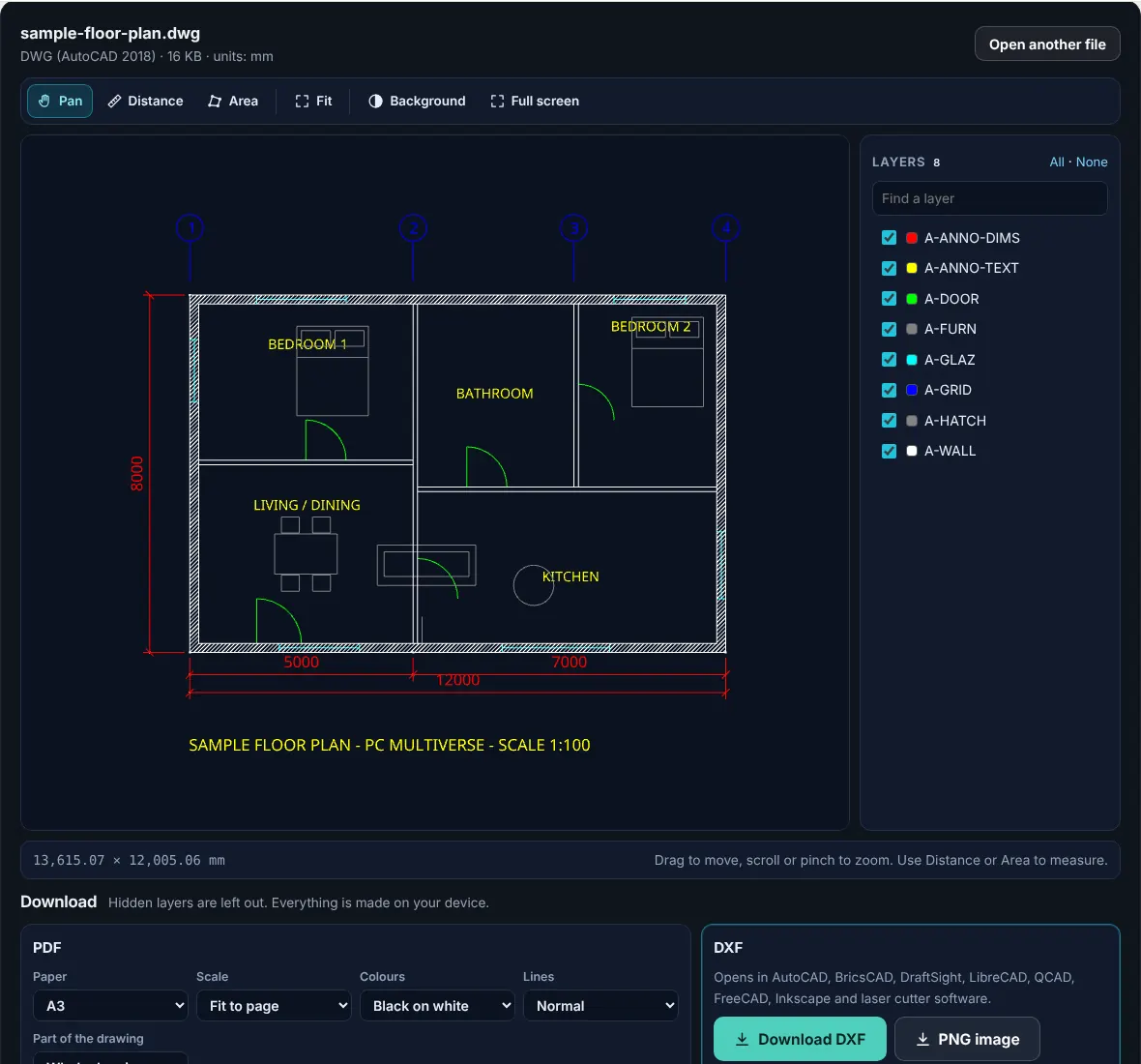
How to convert DWG to DXF
- Drop the DWG file on the page or choose it. The drawing opens, so you can check it is the right one.
- Press Download DXF. That's it: the DXF is written on your device in a second or two.
The DXF keeps the drawing's own version (a DWG from AutoCAD 2018 becomes a 2018 DXF), its layers with their colours and line types, blocks, text, dimensions, hatches and the drawing units.
Why convert DWG to DXF
DWG is AutoCAD's own format. Many programs can't open it, but almost all can open DXF, the exchange format Autodesk publishes for exactly this purpose:
- Laser cutting, plasma, waterjet and CNC routers: LightBurn, RDWorks, SheetCam, Fusion and most machine software import DXF.
- Free CAD programs: LibreCAD, QCAD and FreeCAD open DXF.
- Design programs: Inkscape, Adobe Illustrator, CorelDRAW and SketchUp import DXF.
- Older AutoCAD versions and other CAD programs that can't read a newer DWG.
Check before you cut
Open the DXF in your machine software and check the scale before cutting: a drawing made in inches and read as millimetres comes out 25.4 times smaller. The units are written into the DXF, but some programs ignore them.
Where your file goes
Your drawing is opened by your own browser, on your own device. It is never uploaded, so there is no file size limit apart from your computer's memory, no daily limit, no account and no watermark, and confidential plans stay confidential.
Frequently asked questions
Is the conversion lossless?
Geometry, layers, blocks, text and dimensions are kept. Some custom objects from add-ons (proxy objects) may be left out, as in most converters.
Which DXF version do I get?
The same version as the DWG. Programs that need an old DXF version (R12) can usually read newer ones; if yours can't, open the DXF in LibreCAD and save it as R12.
Can I convert DXF to DWG?
Yes, with the free DXF to DWG converter on this site. This page converts DWG to DXF and to PDF.
Is my drawing uploaded?
No. The conversion runs in your browser and the file stays on your device.
Are my files uploaded?
No. The file is read by your own browser and never sent to our servers or anyone else. That is why there is no size limit and no daily limit.
Why does it take a moment the first time?
The first time, your browser downloads the viewer itself (a few MB). After that it is cached and opens quickly.