Choose an email in the list to read it.
MSG to PDF converter
Saved emails from Outlook end in .msg and only open in Outlook. Drop them here to read them on any computer or phone and save them as PDF, with their attachments.
Your file stays on your device. This tool works inside your browser. The file is not uploaded to us or to anyone else. How we handle files
0%
How to convert an Outlook MSG file to PDF
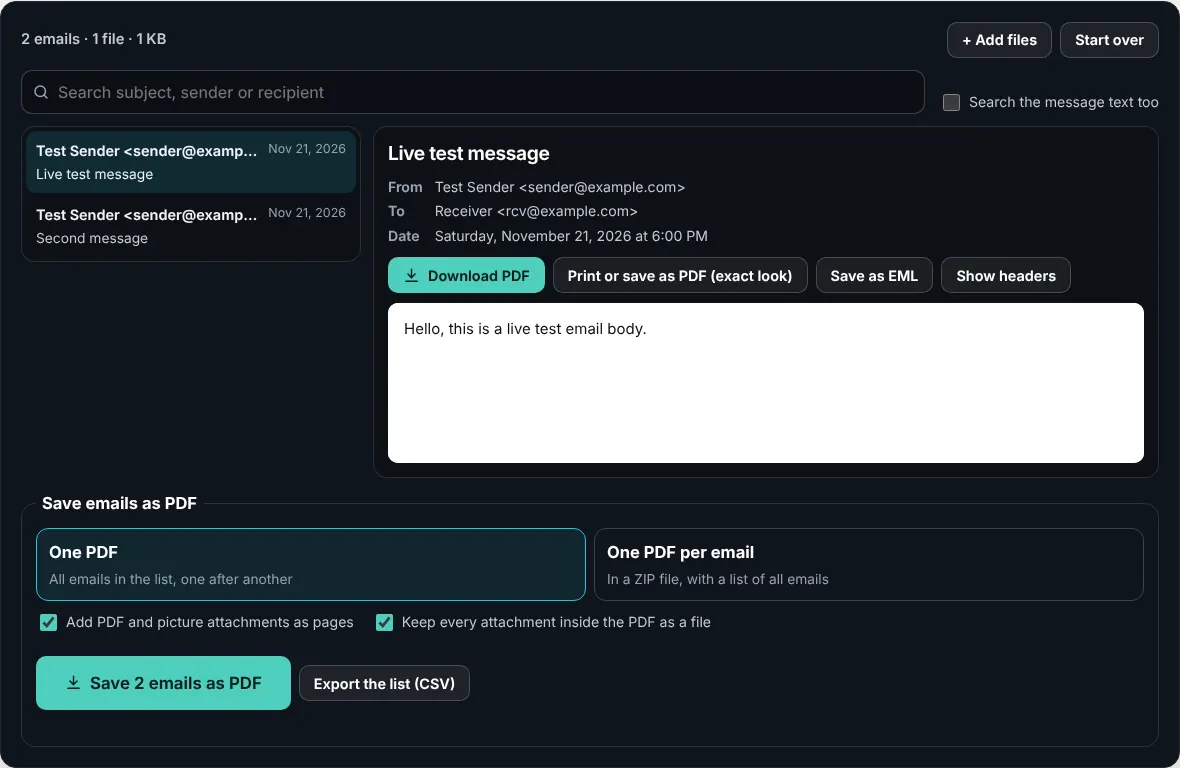
- Drop your .msg files on the page, or choose them. You can add as many as you like.
- Click an email in the list to read it and check the attachments.
- Press Download PDF for one email, or Save emails as PDF for all of them, as one PDF or one PDF per email.
You do not need Outlook, Windows or an Office licence. It works on a Mac, a Chromebook, an iPad or an Android phone.
Why MSG files are hard to open
MSG is Outlook's own file format. It is what you get when you drag an email from Outlook to the desktop or a folder, or when a colleague forwards an email "as an attachment". Outside Outlook most computers cannot open it, and Outlook's own Print to PDF loses the attachments and handles only one email at a time.
What the converter keeps
- Sender, recipients, cc and date in a clear header on the first page.
- The message as it was written: Outlook often stores it as rich text with the original HTML inside, and the converter recovers the HTML so tables, bold text and pictures stay.
- Attachments: PDFs and pictures as pages after the email, and every attachment as a file inside the PDF.
- Emails attached to emails: click them to open them, and they are added to the PDF after the email they came with.
MSG to EML
The Save as EML button turns an MSG file into a standard EML file that opens in Thunderbird, Apple Mail and most email programs, with its attachments.
Where your file goes
Email files are full of private things: names, addresses, contracts, invoices and conversations. Online converters upload them to their servers. This one reads them in your own browser, so nothing leaves your device, nothing is stored and there is no size or daily limit. You can even go offline after the page has loaded.
Frequently asked questions
Do I need Outlook to convert MSG to PDF?
No. The MSG file is read by this page in your browser, on any computer or phone.
Is my email uploaded?
No. Nothing is sent anywhere, so confidential emails stay on your device.
Are the attachments in the PDF?
Yes. PDF and picture attachments become pages, and every attachment is also kept inside the PDF as a file.
Can I convert MSG to EML?
Yes. Open the email and press Save as EML. The EML file keeps the text and the attachments.
Is there a limit?
No. Convert as many MSG files as you like, as one PDF or one PDF per email.