How to compare two PDFs
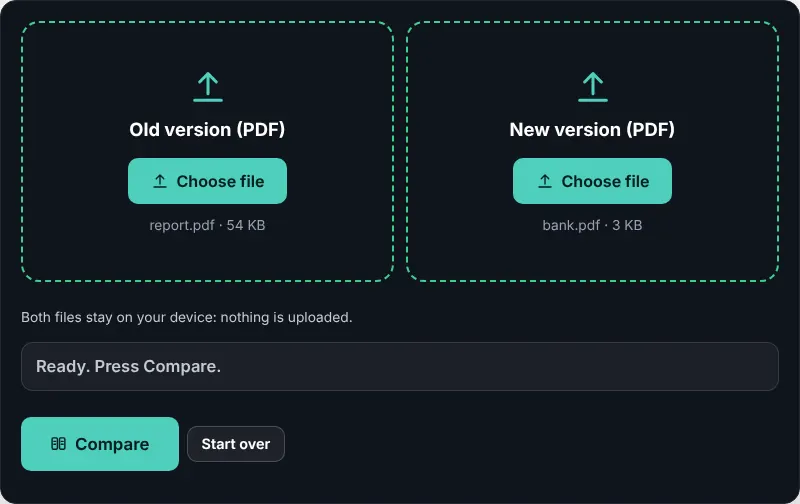
- Drop the old version in the first box and the new version in the second.
- Press Compare. The changes are listed in reading order, and every page is shown side by side: removed words in red on the left, added words in green on the right.
- Download the marked-up PDF to send to a colleague or a client, or the list of changes as a text file.
What it compares
The words of the two documents, in order, the way a lawyer reads a new draft. A changed price, a removed clause or an added sentence shows up even when it moves the rest of the text to another page. Changes only in fonts, colours or pictures are not reported.
For scanned PDFs, make both files searchable with OCR PDF first. To compare spreadsheets, use Compare Excel files.
Where your file goes
Your file is processed by your own browser, on your own device. It is never uploaded, so there is no file limit, no daily limit and no watermark of ours, and private documents stay private. Contracts and offers under negotiation should not be uploaded to compare them.
Compared with iLovePDF
| What you get | PC Multiverse | iLovePDF |
|---|---|---|
| Price | Free | Free Basic plan, then Premium at $9 a month (or $60 a year) |
| Free limits | No daily limit, no file count limit | “Limited document processing” on the free plan |
| File size | Limited only by your device's memory | For example 100 MB per Merge task, 200 MB for Compress, 25 MB for PDF to JPG |
Because everything runs in your browser, very large PDFs depend on how much memory your device has.
iLovePDF details are from its public pricing page, read on 21 November 2026, and may have changed since. iLovePDF is a trademark of its owner; we are not affiliated with it.
Frequently asked questions
Is Compare PDF free?
Yes. No limit and no account. In Adobe Acrobat, comparing files needs the paid Pro plan.
Does it find changes that move text to another page?
Yes. It compares the words of the whole document in order, not page against page.
Can I share the result?
Yes. Download the marked-up PDF: each page shows the old and the new version next to each other with the changes coloured.
Does it compare pictures or formatting?
No. It compares the text. Changes only in fonts, colours or images are not reported.
Are my files uploaded?
No. Both PDFs stay in your browser.