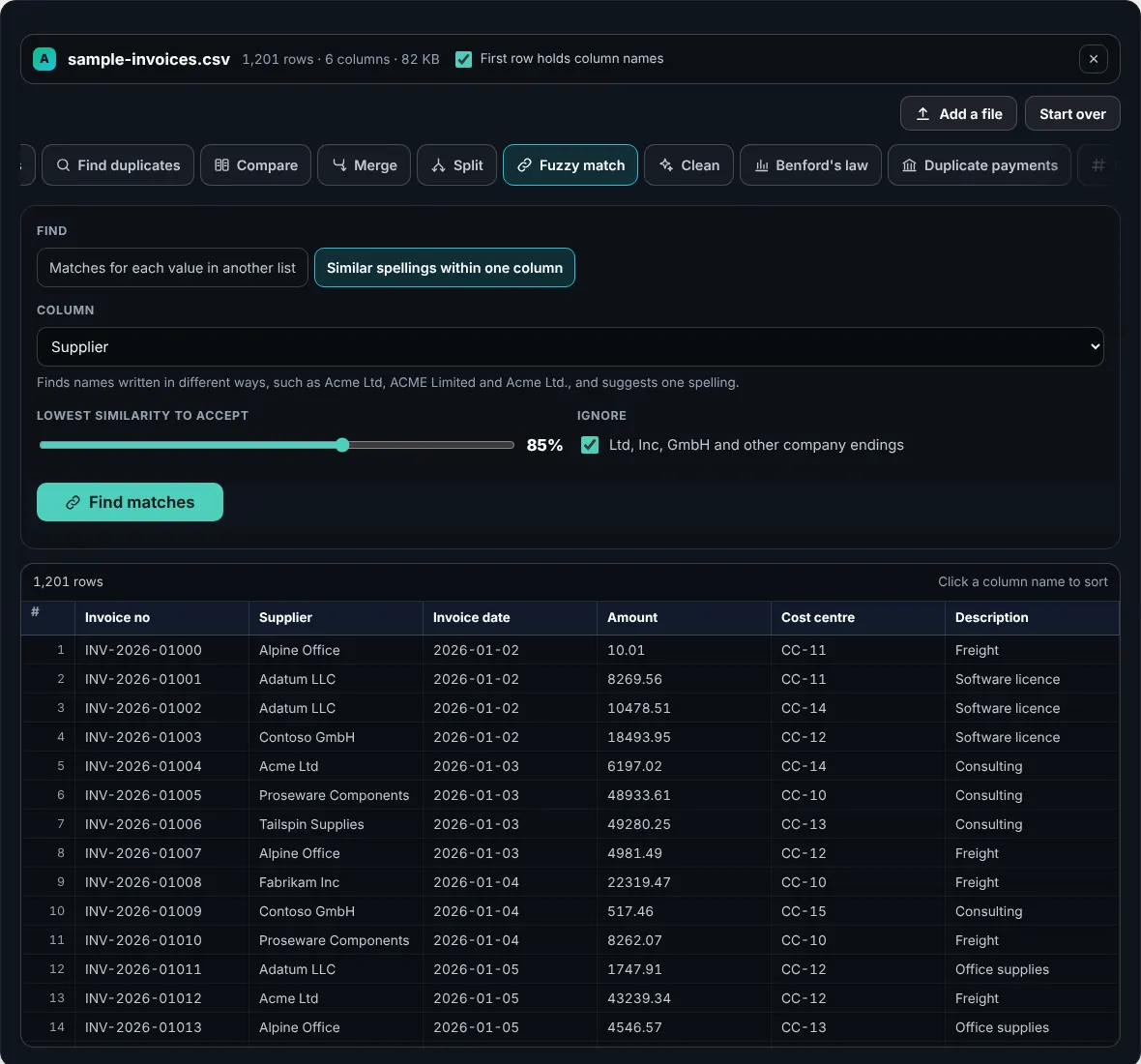
How to fuzzy match two lists
- Drop both files: the list with the values to match, and the list to look them up in, for example a supplier master file.
- Choose the column in each file, such as the company name.
- Set the lowest similarity to accept; 85% is a good start. Tick the columns you want to bring across from the second list, such as a supplier number.
- Press Find matches. Each row gets a Best match, a Match score from 0 to 100 and the Second best candidate for your review.
Exact matches are coloured green, close matches yellow and rows below your limit red, and the No match found tab lists the rows to check by hand.
Similar spellings within one column
Choose Similar spellings within one column to clean up a single list. The tool groups values that are written differently but mean the same, counts how often each spelling occurs, and suggests the most common one. The download adds a standardised column next to the original, so you can filter, count and pivot on clean names, and keeps the original values for reference.
How the matching works
Before comparing, names are normalised: upper and lower case, accents, punctuation and the word the are ignored, & reads as and, and company endings such as Ltd, Limited, Inc, LLC, GmbH, S.A., S.r.l., B.V. and Oy can be ignored too. The score is the best of three comparisons: the names as written, the names with their words sorted, so Smith John matches John Smith, and the words they share. Each value is only compared with candidates that share letter groups with it, which keeps large lists fast.
Excel's own Fuzzy Lookup is a separate add-in for Windows desktop Excel only; Power Query has fuzzy merge but needs a setup most people never find. This tool needs nothing installed.
Typical uses
- Matching supplier names on invoices to the supplier master file.
- Joining two customer lists from different systems, for a CRM migration or a mailing.
- Finding the same company entered several ways before a duplicate payment review.
Where your file goes
Your spreadsheet is opened by your own browser and processed on your own computer or phone. It is never uploaded: there is no server that could see your customers, suppliers, salaries or payments, nothing to delete afterwards, and you can even disconnect from the internet once the page has loaded. That makes it safe for client files, personal data under the GDPR and audit evidence, which you should never send to an online converter that uploads them.
Frequently asked questions
Is it free?
Yes. No account, no row limit, no watermark and no trial. The site is paid for by the adverts on the page.
Is my file uploaded?
No. The file is read and processed by your browser on your own device. Nothing is sent to any server, so it is safe for confidential data.
Which similarity should I use?
85 to 90 for company names. Lower values find more matches but also more wrong ones; always look at the scores between 80 and 95.
Does it match people's names?
Yes. Word order is ignored, so Smith John matches John Smith. Untick the company endings option for person names.
How large can the lists be?
Tens of thousands of distinct values on each side are fine on a normal laptop. Repeated values are matched only once.