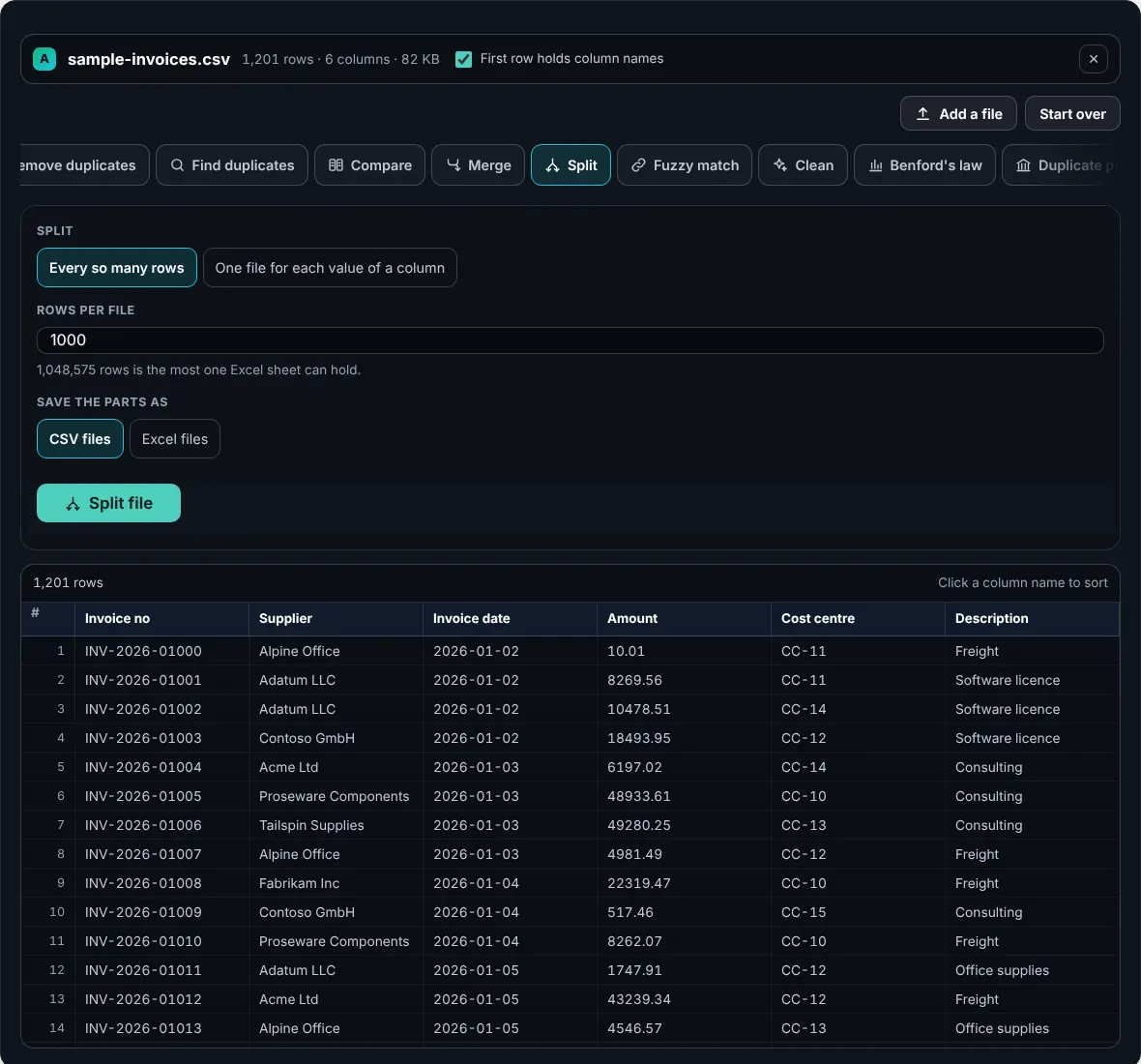
How to split a file
- Drop the CSV or Excel file on the page.
- Choose Every so many rows and the rows per file, or One file for each value of a column and the column.
- Choose CSV or Excel files, then press Split file. All parts are downloaded together in one ZIP archive.
Split by rows
Use this when a file is too big for the program that has to open it. Excel holds 1,048,575 data rows per sheet; many import tools, CRMs and mailing platforms accept only 10,000 or 50,000 rows per upload. Every part gets the header row, so each file works on its own, and the parts are numbered in order.
Split by a column
Use this to hand each person only their data: one file per sales region for each manager, one per supplier for a statement run, one per month or per cost centre. Each value of the column becomes one file named after the value. Rows with an empty value go to a file called (empty).
Big files
Excel stops at 1,048,576 rows and 16,384 columns per sheet. This workbench has no such limit: it reads files in a background thread, keeps repeated values only once in memory, and scrolls through millions of rows smoothly. The real limit is your device's memory; a computer with 8 GB handles files of several million rows. Splitting is often the first step for a file Excel refused to open completely: split it into Excel-sized parts and every row is kept.
Where your file goes
Your spreadsheet is opened by your own browser and processed on your own computer or phone. It is never uploaded: there is no server that could see your customers, suppliers, salaries or payments, nothing to delete afterwards, and you can even disconnect from the internet once the page has loaded. That makes it safe for client files, personal data under the GDPR and audit evidence, which you should never send to an online converter that uploads them.
Frequently asked questions
Is it free?
Yes. No account, no row limit, no watermark and no trial. The site is paid for by the adverts on the page.
Is my file uploaded?
No. The file is read and processed by your browser on your own device. Nothing is sent to any server, so it is safe for confidential data.
How many parts can I make?
Up to 2,000 when splitting by a column. When splitting by rows there is no limit other than your device's memory.
Does every part keep the header?
Yes. Every CSV or Excel part starts with the same header row as the original.
Which is better, CSV or Excel parts?
CSV for import into other software; Excel to open and work with the parts directly, with dates and numbers kept as real values.