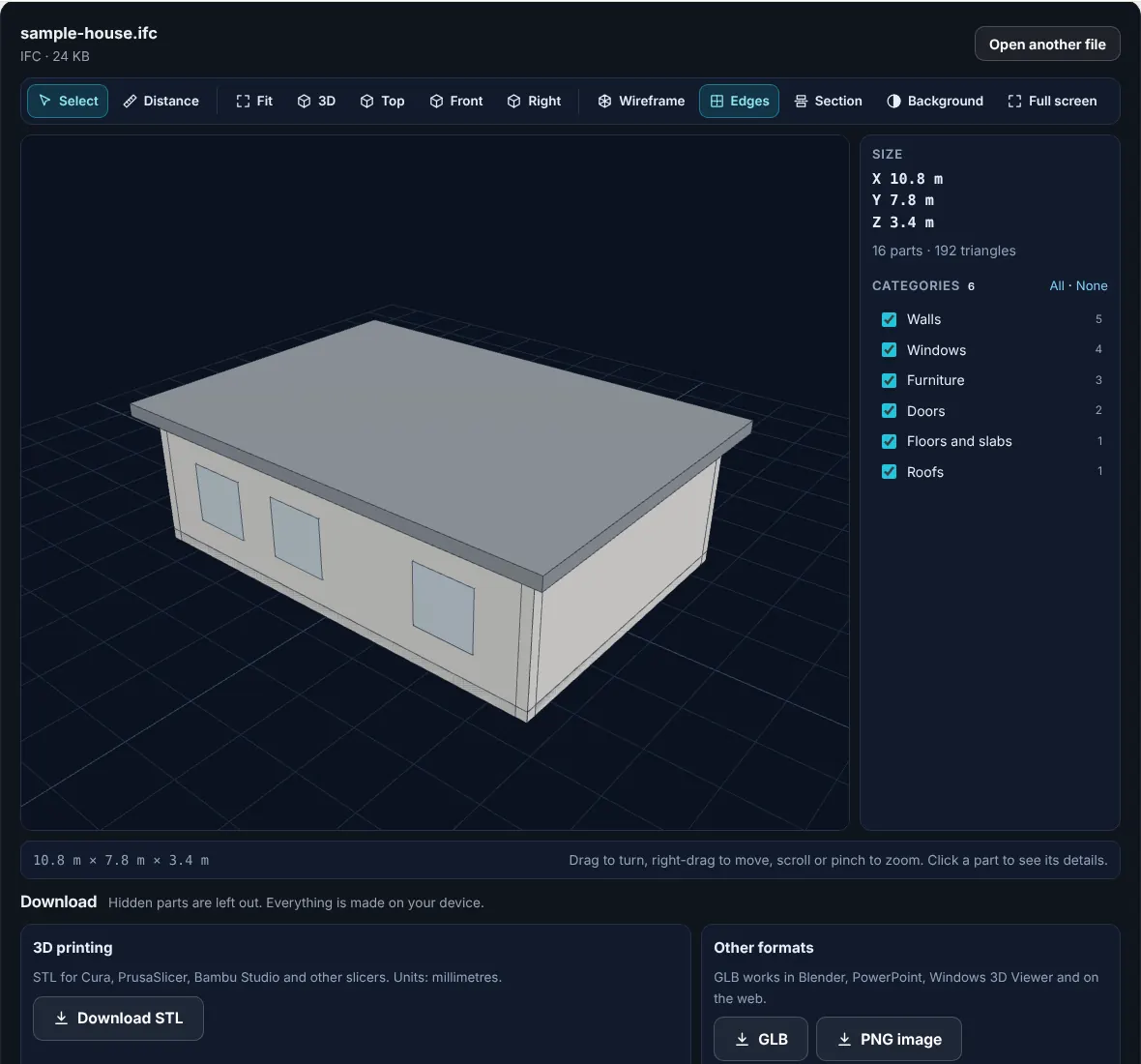
How to open an IFC file
- Drop the .ifc file on the page or choose it. IFC 2x3 and IFC 4 files open.
- Drag to turn the building, right-drag or two fingers to move, scroll or pinch to zoom. Use Top for a plan view.
- In Categories, untick walls, roofs, slabs or furniture to look inside. Rooms (spaces) are hidden at first because they are invisible volumes.
Read element properties
Click any wall, door, window, beam or pipe. It is highlighted, and the panel shows its IFC type, name, GlobalId and its property sets: fire rating, load bearing, U-value, material, quantities such as length, area and volume, and whatever the designer added. This is the information quantity surveyors, facility managers and site teams look for, without needing Revit or ArchiCAD.
Measure and cut
- Distance: click two points; corners snap. Lengths are shown in metres.
- Section: cut horizontally to see a floor plan in 3D, or vertically for a section through the building. Slide the cut up and down through the storeys.
Who uses it
Clients and owners checking a design, contractors and subcontractors on site, cost consultants checking quantities, facility managers looking up an asset, and students. IFC is the open BIM exchange format (ISO 16739) and is required on public projects in many countries.
Where your file goes
Your drawing is opened by your own browser, on your own device. It is never uploaded, so there is no file size limit apart from your computer's memory, no daily limit, no account and no watermark, and confidential plans stay confidential.
Frequently asked questions
Is the IFC viewer free?
Yes, with no file limit, no account and no watermark.
Which IFC versions open?
IFC 2x3 and IFC 4, from Revit, ArchiCAD, Tekla Structures, Allplan, Vectorworks, BricsCAD BIM and others. Compressed .ifczip files must be unzipped first.
Can I see quantities?
Yes, when the designer exported them. Click an element: base quantities like length, area and volume are listed with its property sets.
Can I open Revit (.rvt) files?
No. Export an IFC file from Revit (File, Export, IFC), then open it here.
Are my files uploaded?
No. The file is read by your own browser and never sent to our servers or anyone else. That is why there is no size limit and no daily limit.
Why does it take a moment the first time?
The first time, your browser downloads the viewer itself (a few MB). After that it is cached and opens quickly.