Make a karaoke track in three steps
- Upload the song you want to sing (MP3, WAV, FLAC, M4A, AAC, OGG and OPUS, up to 60 minutes).
- The AI removes the vocals on our servers. You see your place in the queue while you wait.
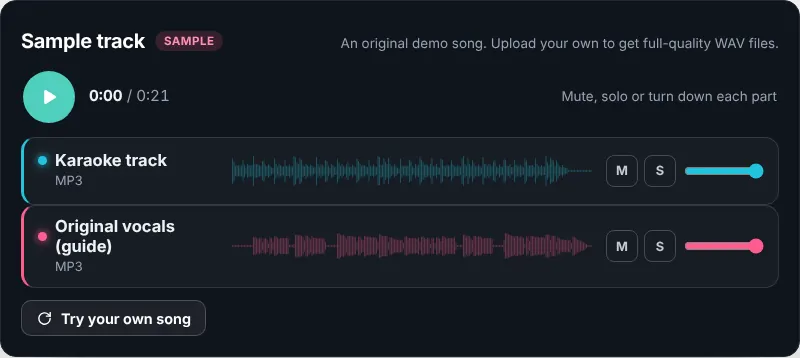
- Download the karaoke track. You also get the original vocals, which make a handy guide while you learn the song.
Why use the original recording
Most karaoke catalogues use re-recorded "sound-alike" versions: the arrangement is close, but the sound never quite matches the record you know. With AI separation you sing over the real recording, with the real drums, guitars and production, minus the original singer.
Tips for a better karaoke night
- Keep a little of the original voice. Many singers find it easier to stay in time with a quiet guide vocal. Mix the vocal file back in at about 10 to 20 percent volume in a free editor.
- Change the key if you need to. Free tools such as Audacity can shift the pitch of the karaoke track by a semitone or two without changing the speed.
- Make a playlist. Process each song once, download the WAV files, and play them from any media player or karaoke app that accepts audio files.
- Add lyrics. Many karaoke apps can display lyrics from a text or LRC file alongside your audio track.
Karaoke at home, in class or on stage
Singing teachers use karaoke tracks for lessons, choirs use them to rehearse with the original arrangement, and performers use them for open-mic nights. For performances in public, check that the venue has the licence it needs to play recorded music.
Compared with LALAL.AI
| What you get | PC Multiverse | LALAL.AI |
|---|---|---|
| Price | Free | Free Starter plan, then Lite from $7.50 a month (billed $90 a year) |
| Free allowance | 10 files a day, up to 60 minutes each | 10 minutes in total |
| Download your results for free | Yes, full length | No result downloads on the free plan |
| File size | Up to 500 MB | Up to 200 MB |
The trade-off is the queue: our servers are shared by everyone, so at busy times you may wait a few minutes.
LALAL.AI details are from its public pricing page, read on 21 November 2026, and may have changed since. LALAL.AI is a trademark of its owner; we are not affiliated with it.
Frequently asked questions
Can it make a karaoke video with lyrics?
Not yet. This tool makes the audio track. A karaoke video maker with on-screen lyrics is on our list.
Does it work for duets?
Both voices are removed, because the model takes out every voice. Keep the vocal file if you want to sing one part and play the other quietly.
Is it really free?
Yes. There is no account, no watermark and no paid tier. The site is paid for by the adverts you see on the page. To keep it fair for everyone there is a daily limit of 10 files per visitor.
What happens to my file?
It is processed on our own servers and deleted automatically, together with the results, 1 hour after you upload it. We do not keep copies, do not share files with anyone, and never use them to train AI models.
Can I use songs I don't own?
Only upload audio you have the right to use: your own recordings, music you have a licence for, or material you use for private practice where the law allows it. Separating a song does not change who owns it. See our copyright page if you are a rights holder.