How to rotate PDF pages
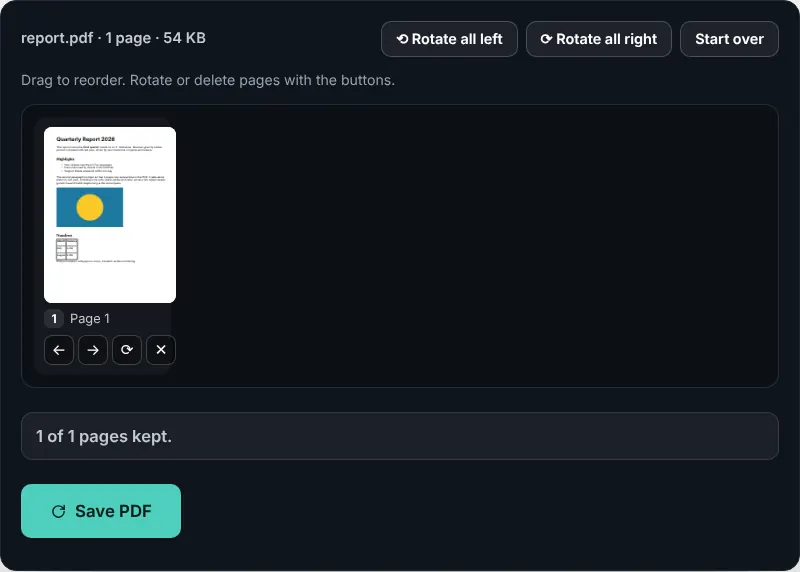
- Drop your PDF on the page. All pages appear as thumbnails.
- Click the rotate button on a page to turn it 90 degrees, or use Rotate all.
- Click the cross to delete a page, and drag pages to change the order.
- Press Save PDF and download it.
The rotation is saved in the file, so the page opens the right way up in every PDF reader, on every device, and prints correctly.
Why scans end up sideways
Phones and scanners decide orientation from sensors or the first page. Pages in landscape, or a document photographed from the side, often end up turned. Fixing them takes a second here.
Where your file goes
Your files are processed by your own browser, on your own device. They are never uploaded, so there is no size limit, no daily limit and no watermark, and private documents stay private.
Compared with iLovePDF
| What you get | PC Multiverse | iLovePDF |
|---|---|---|
| Price | Free | Free Basic plan, then Premium at $9 a month (or $60 a year) |
| Free limits | No daily limit, no file count limit | “Limited document processing” on the free plan |
| File size | Limited only by your device's memory | For example 100 MB per Merge task, 200 MB for Compress, 25 MB for PDF to JPG |
Because everything runs in your browser, very large PDFs depend on how much memory your device has.
iLovePDF details are from its public pricing page, read on 21 November 2026, and may have changed since. iLovePDF is a trademark of its owner; we are not affiliated with it.
Frequently asked questions
Can I rotate just one page?
Yes. Each page has its own rotate button; the others stay as they are.
Does rotating reduce quality?
No. Only the page's orientation setting changes; the content is not re-compressed.
Can I delete blank pages?
Yes. Click the cross on any page to remove it before saving.
Is my file uploaded?
No. Everything happens in your browser.