How to make a GIF from a video
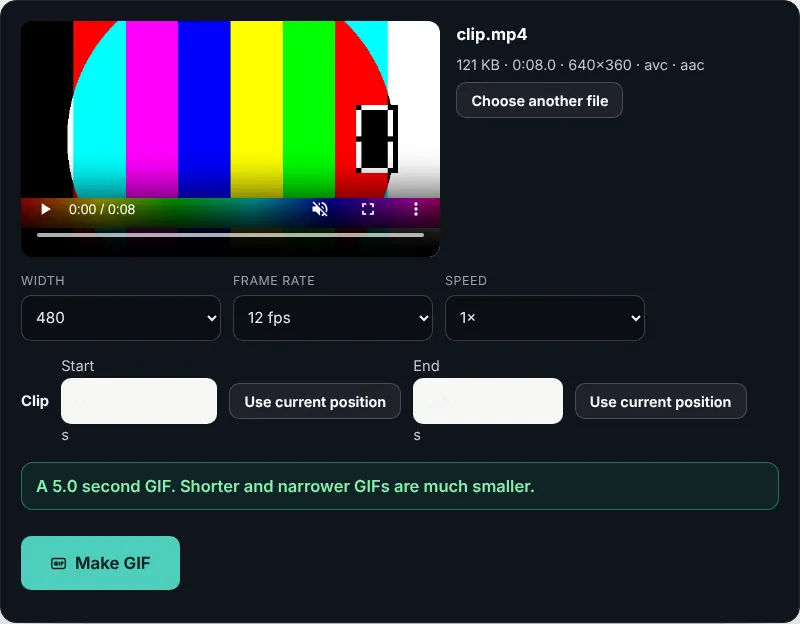
- Drop a video on the page or choose it.
- Set the start and end of the clip. GIFs work best between 2 and 6 seconds.
- Choose the width (480 px is a good balance), the frame rate (10 to 15 fps is smooth enough) and the speed.
- Press Make GIF, preview it and download.
Small and sharp GIFs
GIF is an old format: every frame is a picture with up to 256 colours, so file size grows fast. To keep a GIF small:
- Keep it short. Every second adds frames.
- Make it narrower. Halving the width cuts the size by about four.
- Lower the frame rate. 10 fps looks smooth for most reactions and memes.
- Scenes with little movement and flat colours compress best.
The maker builds an optimised colour palette for your clip, so colours look as good as GIF allows.
Where GIFs are used
Reactions in chats, product demos in emails and documentation, memes, and short loops on websites. Many platforms (X, Reddit, Discord) accept GIFs up to several MB. For longer clips, an MP4 is far smaller; our video compressor makes those.
Your video is processed on your device and never uploaded.
Compared with VEED
| What you get | PC Multiverse | VEED |
|---|---|---|
| Price | Free | Free plan, then Creator at $25 a month (or $147 a year) |
| Watermark on free exports | None | Free videos are watermarked |
| Free extras | No limits to track | 50 AI credits a month, subtitles for 10 minutes a month |
VEED is a full online video editor; this page does one job. Speed here depends on your own device.
VEED details are from its public pricing page, read on 21 November 2026, and may have changed since. VEED is a trademark of its owner; we are not affiliated with it.
Frequently asked questions
How long can my GIF be?
Up to 20 seconds. Longer GIFs become very large; use a short MP4 instead.
Why is my GIF so big?
GIF stores every frame as a picture. Make it narrower, shorter or lower the frame rate.
Is there a watermark?
No. The GIF is yours with no watermark or logo.
Can I make a GIF from a YouTube video?
Download rights apply: you can make GIFs from videos you have on your device and have the right to use.