How to compress a video
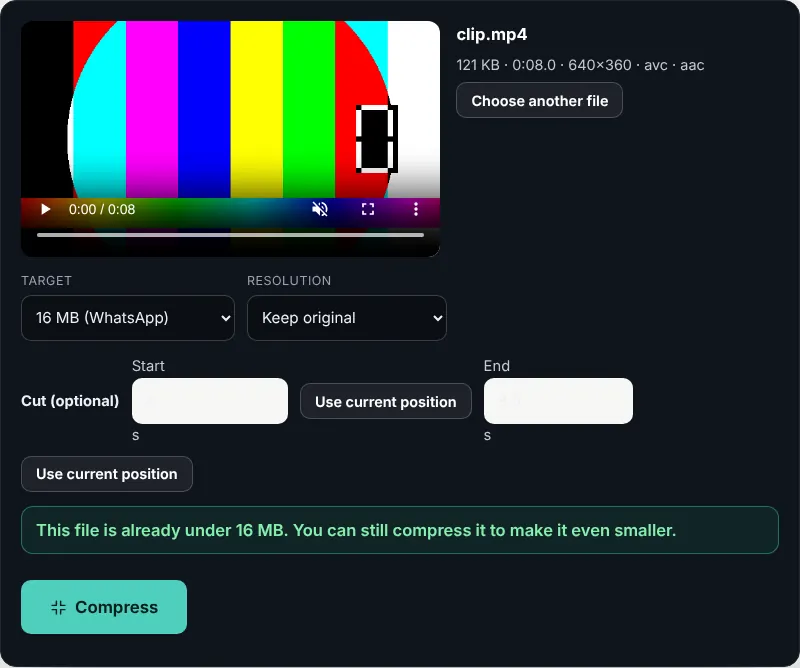
- Drop your video on the page or choose it. MP4, MOV, MKV and WebM are supported.
- Choose a target: a size such as 8 MB (Discord), 16 MB (WhatsApp), 25 MB (email), or a quality level.
- Optionally lower the resolution (1080p to 720p halves the size with little visible loss on phones) or cut the start and end.
- Press Compress. A progress bar shows the speed. Download the result.
Why your video never leaves your device
Most online compressors upload your video to their servers, which is slow for big files and means a stranger's server has your video. This one uses your computer's or phone's own video hardware (through WebCodecs in the browser), so a 1 GB video does not need a 1 GB upload. That also means no size limit and no watermark.
Target sizes for popular apps
- Discord: 10 MB for free accounts.
- WhatsApp: 16 MB for videos sent normally (up to 2 GB as a document).
- Email (Gmail, Outlook): 20 to 25 MB attachments.
- Telegram, Signal: larger, but smaller files send faster.
How compression works
The compressor re-encodes the video with modern codecs (H.264 or HEVC in MP4, VP9 in WebM) at the bitrate needed to reach your target. Shorter, lower-resolution and less hectic videos compress best. Screen recordings and talking heads shrink enormously; fast sport or confetti needs more data to look good.
Tip: if a target is too small for the length, the page tells you and suggests a lower resolution or a shorter clip, instead of giving you a blocky video.
Compared with VEED
| What you get | PC Multiverse | VEED |
|---|---|---|
| Price | Free | Free plan, then Creator at $25 a month (or $147 a year) |
| Watermark on free exports | None | Free videos are watermarked |
| Free extras | No limits to track | 50 AI credits a month, subtitles for 10 minutes a month |
VEED is a full online video editor; this page does one job. Speed here depends on your own device.
VEED details are from its public pricing page, read on 21 November 2026, and may have changed since. VEED is a trademark of its owner; we are not affiliated with it.
Frequently asked questions
Is there a file size limit?
No fixed limit, because nothing is uploaded. Very large files depend on your device's memory; a modern computer handles several gigabytes.
Which browsers are supported?
Chrome, Edge and Opera on computers and Android, and Safari 16.4+ on Mac and iPhone. Firefox works for most files.
Will the video lose quality?
Some, as with any compression, but modern codecs keep it very good. Lowering the resolution at the same size often looks better than squeezing full HD.
Is there a watermark?
No watermark, no account and no limits.