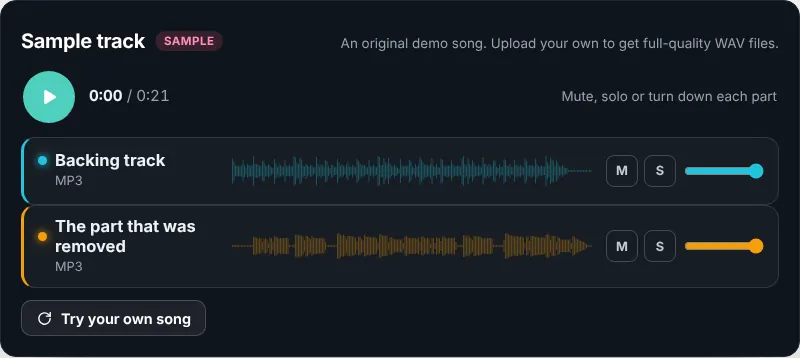
How to make a backing track
- Choose the part you want to remove: vocals, drums, bass, or guitars and keys.
- Upload the song (MP3, WAV, FLAC, M4A, AAC, OGG and OPUS, up to 60 minutes).
- Download the backing track, plus the part that was removed so you can learn it.
Which option to choose
| You play or sing | Remove |
|---|---|
| Lead or backing vocals | Vocals |
| Drums or percussion | Drums |
| Bass guitar or synth bass | Bass |
| Guitar, piano, keyboards, strings, horns | Guitars, keys and the rest |
The "guitars, keys and the rest" option removes everything that is not vocals, drums or bass. On a typical band recording that leaves you a rhythm section and a singer to play guitar or piano along with.
Practise like you are in the band
A backing track made from the original recording sounds like the record because it is the record. Practising with it trains your timing and feel against real musicians instead of a drum machine, and you hear exactly how your part fits.
- Learn the part first from the isolated file, at a slower speed if needed.
- Then play along with the backing track at full speed.
- Record yourself over the backing track and compare it with the original part.
Good to know
The AI separates four broad groups (vocals, drums, bass and other). It cannot remove only the lead guitar and keep the rhythm guitar, or remove the piano but keep the strings, because those all belong to "other". For a guitar-only stem we are testing a six-stem model.
Compared with LALAL.AI
| What you get | PC Multiverse | LALAL.AI |
|---|---|---|
| Price | Free | Free Starter plan, then Lite from $7.50 a month (billed $90 a year) |
| Free allowance | 10 files a day, up to 60 minutes each | 10 minutes in total |
| Download your results for free | Yes, full length | No result downloads on the free plan |
| File size | Up to 500 MB | Up to 200 MB |
The trade-off is the queue: our servers are shared by everyone, so at busy times you may wait a few minutes.
LALAL.AI details are from its public pricing page, read on 21 November 2026, and may have changed since. LALAL.AI is a trademark of its owner; we are not affiliated with it.
Frequently asked questions
Can I remove two parts, for example drums and bass?
Use the stem splitter: you get all four parts and can mix the ones you want in any free editor.
Can I remove only the guitar solo?
Not yet. Guitars, keyboards and other instruments are separated together as one group.
Is it really free?
Yes. There is no account, no watermark and no paid tier. The site is paid for by the adverts you see on the page. To keep it fair for everyone there is a daily limit of 10 files per visitor.
What happens to my file?
It is processed on our own servers and deleted automatically, together with the results, 1 hour after you upload it. We do not keep copies, do not share files with anyone, and never use them to train AI models.
Can I use songs I don't own?
Only upload audio you have the right to use: your own recordings, music you have a licence for, or material you use for private practice where the law allows it. Separating a song does not change who owns it. See our copyright page if you are a rights holder.