How to convert MP4 to MP3
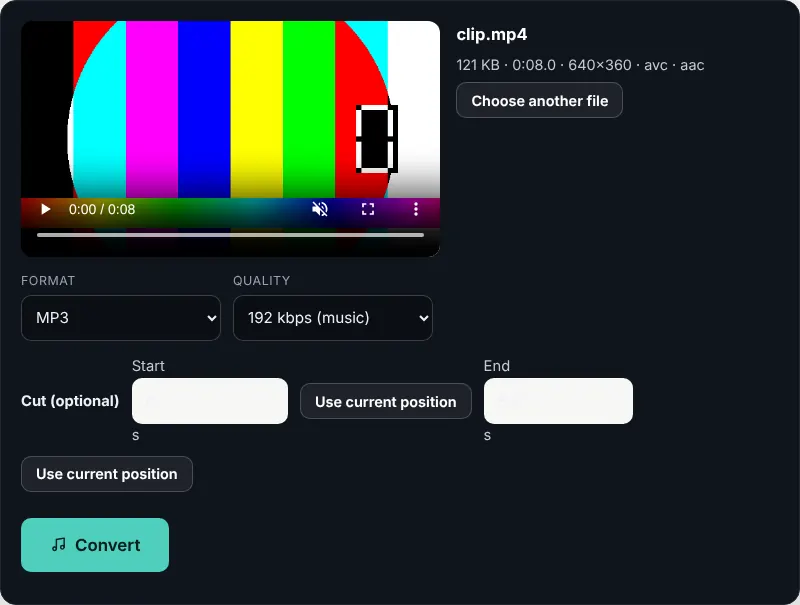
- Drop the video on the page or choose it. MP4, MOV, MKV and WebM all work.
- Choose MP3 (plays everywhere), M4A (smaller at the same quality, best for Apple) or WAV (uncompressed, for editing).
- Choose the quality: 192 kbps is excellent for music, 128 kbps is plenty for speech.
- Optionally cut the start and end. Press Convert and download.
When people use it
- Save the sound of a concert or a lesson recorded on a phone.
- Turn a video podcast or interview into audio to listen on the go.
- Get the music of your own video for editing.
- Prepare audio for our AI tools: separate the vocals or remove background noise.
Quality
The converter decodes the original sound track and encodes it at the bitrate you choose. It cannot add quality that was not in the video, so 320 kbps from a phone recording sounds no better than 192 kbps. For M4A, if the video already contains AAC sound, it is copied without any loss.
Copyright
Convert only videos you made or have the right to use. The tool runs on your device: we never see or store your files.
Compared with VEED
| What you get | PC Multiverse | VEED |
|---|---|---|
| Price | Free | Free plan, then Creator at $25 a month (or $147 a year) |
| Watermark on free exports | None | Free videos are watermarked |
| Free extras | No limits to track | 50 AI credits a month, subtitles for 10 minutes a month |
VEED is a full online video editor; this page does one job. Speed here depends on your own device.
VEED details are from its public pricing page, read on 21 November 2026, and may have changed since. VEED is a trademark of its owner; we are not affiliated with it.
Frequently asked questions
Is MP4 to MP3 conversion free?
Yes, unlimited and without registration or watermark.
Is my video uploaded?
No. Everything happens in your browser, so it is private and there is no size limit.
Which is better, MP3 or M4A?
M4A (AAC) sounds slightly better at the same size and can be copied without loss from most videos. MP3 plays on every device.
Can I convert a video link?
No, only files on your device. Download the video first if you have the right to.