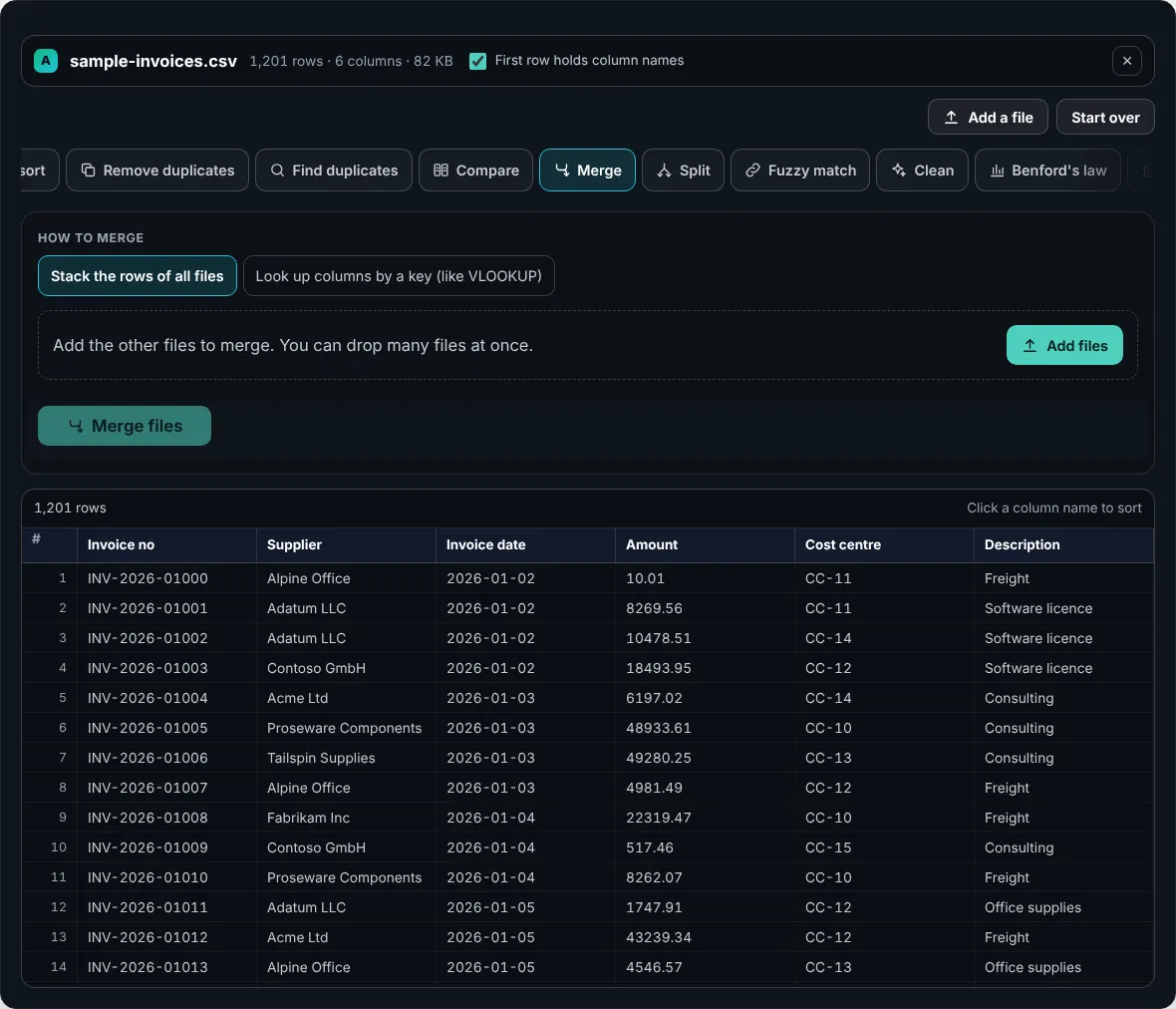
How to merge files
- Drop all the files on the page at once, or add them one by one. CSV and Excel files can be mixed.
- Choose Stack the rows of all files to put the rows of every file under each other, or Look up columns by a key (like VLOOKUP) to add columns from a second file.
- Press Merge files, check the result and download it as Excel or CSV.
Stacking: many files, one table
Stacking is what you need for twelve monthly exports, one file per shop, or the same form filled in by several people. Columns are matched by their names, in any order, so it does not matter if one file has an extra column or a different column order: every column appears once, and rows from files without it are left blank there. A Source file column records where each row came from. When the files have no header row, untick name matching to line columns up by position.
Looking up: like VLOOKUP, without formulas
Choose the main file, the file to look up in, and the key column in each, such as a customer number or an email address. Then choose which rows to keep:
- All rows of the main file, like VLOOKUP or a left join. Rows without a match stay, with the new columns empty, and are listed in the No match found tab.
- Only rows found in both, like an inner join.
- All rows of both files, like a full outer join.
When a key appears more than once in the second file, use the first match like VLOOKUP does, or repeat the row for every match, like a database join. Upper and lower case and extra spaces in keys are ignored, a common reason why VLOOKUP returns #N/A.
Bigger than Excel
Merging is often how a file outgrows Excel: twelve months of 120,000 rows each is more than one sheet can hold. Excel stops at 1,048,576 rows and 16,384 columns per sheet. This workbench has no such limit: it reads files in a background thread, keeps repeated values only once in memory, and scrolls through millions of rows smoothly. The real limit is your device's memory; a computer with 8 GB handles files of several million rows. The Excel download continues on a second sheet automatically when the result passes 1,048,575 rows, and the CSV download has no limit at all.
Where your file goes
Your spreadsheet is opened by your own browser and processed on your own computer or phone. It is never uploaded: there is no server that could see your customers, suppliers, salaries or payments, nothing to delete afterwards, and you can even disconnect from the internet once the page has loaded. That makes it safe for client files, personal data under the GDPR and audit evidence, which you should never send to an online converter that uploads them.
Frequently asked questions
Is it free?
Yes. No account, no row limit, no watermark and no trial. The site is paid for by the adverts on the page.
Is my file uploaded?
No. The file is read and processed by your browser on your own device. Nothing is sent to any server, so it is safe for confidential data.
How many files can I merge?
As many as your device's memory allows. Hundreds of small files or a few very large ones both work.
The columns have different names in each file. What happens?
Columns are matched by name, ignoring upper and lower case and spaces. Columns with different names stay separate, so rename them in one file first if they hold the same data.
Can I merge all sheets of one workbook?
Add the workbook once per sheet and choose a different sheet on each file card, then stack them.
Can it open old .xls files?
Not directly. Open the .xls file in Excel, Google Sheets or LibreOffice and save it as .xlsx or .csv first. Modern .xlsx and .xlsm workbooks open directly.