How to clean a spreadsheet
- Drop your file on the page.
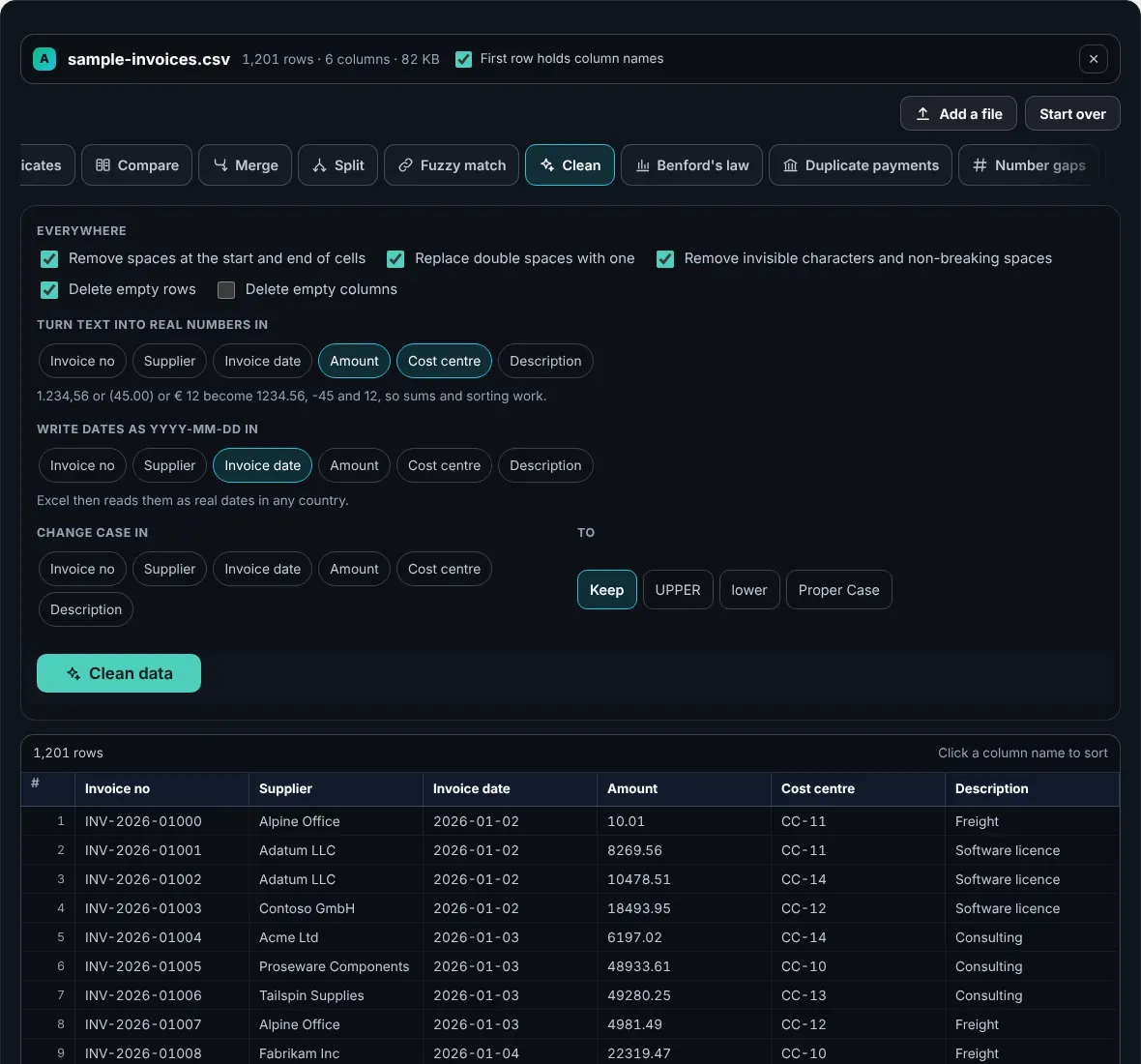
- Choose what to fix everywhere: spaces at the start and end of cells, double spaces, invisible characters and non-breaking spaces, empty rows and empty columns.
- Tick the columns whose text should become real numbers and the columns whose dates should be written as YYYY-MM-DD. Likely amount and date columns are ticked for you.
- Optionally change the case of some columns to UPPER, lower or Proper Case.
- Press Clean data. Changed cells are highlighted, and the summary counts each kind of fix.
Why clean data matters
Most spreadsheet errors are not formula mistakes but dirty data. A VLOOKUP returns #N/A because one cell ends with a space. A SUM ignores half a column because the amounts came in as text. A pivot table shows the same supplier three times because one name holds a non-breaking space copied from a web page. These problems are invisible on screen, which is why they survive for years.
What each fix does
- Trim and double spaces: removes the spaces you cannot see at the start and end, and turns runs of spaces inside a cell into one.
- Invisible characters: removes zero-width spaces, byte-order marks and control characters, and turns non-breaking spaces into normal ones.
- Numbers: reads 1,234.56, 1.234,56, 1 234,56, (45.00), 45.00-, € 12 and 12 % and writes plain numbers that Excel adds up in any country. The tool works out whether the column uses a comma or a point for decimals.
- Dates: reads 31/12/2026, 12/31/2026, 31.12.2026 and 2026-12-31, works out the day and month order from the column, and writes every date as 2026-12-31, which Excel reads as a real date everywhere.
- Case: UPPER, lower or Proper Case for names and codes.
Then go further
After cleaning, remove duplicates that only differed by spaces, or group names spelled differently. Excel stops at 1,048,576 rows and 16,384 columns per sheet. This workbench has no such limit: it reads files in a background thread, keeps repeated values only once in memory, and scrolls through millions of rows smoothly. The real limit is your device's memory; a computer with 8 GB handles files of several million rows.
Where your file goes
Your spreadsheet is opened by your own browser and processed on your own computer or phone. It is never uploaded: there is no server that could see your customers, suppliers, salaries or payments, nothing to delete afterwards, and you can even disconnect from the internet once the page has loaded. That makes it safe for client files, personal data under the GDPR and audit evidence, which you should never send to an online converter that uploads them.
Frequently asked questions
Is it free?
Yes. No account, no row limit, no watermark and no trial. The site is paid for by the adverts on the page.
Is my file uploaded?
No. The file is read and processed by your browser on your own device. Nothing is sent to any server, so it is safe for confidential data.
Does cleaning change my original file?
No. You download a cleaned copy. Changed cells are highlighted in the Excel download so you can check them.
Will it break codes with leading zeros?
Only if you tick that column for number conversion. Leave ID and code columns unticked and they stay exactly as they are.
Which date formats does it understand?
Day, month and year in any order with slashes, dots or dashes, with two or four digit years, optionally with a time.