How to remove music from a video
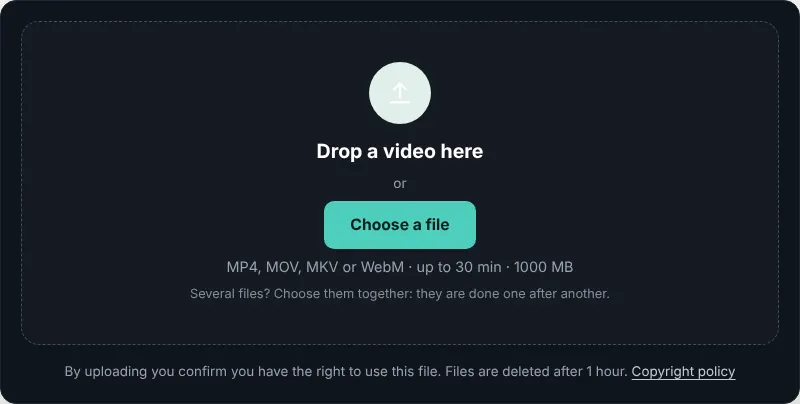
- Upload the video (MP4, MOV, MKV or WebM, up to 30 minutes and 1000 MB).
- The AI separates the voices from the background music on our servers, then puts the clean voice track back into your video. The picture is not re-encoded, so it keeps its original quality.
- Download the video without music. You can also download the voice track and the music separately as WAV files.
When you need it
- A song in the background got your upload blocked or muted. Social platforms often mute or block videos when they detect copyrighted music. Removing the music and keeping the speech is often the fastest fix.
- You want to add your own soundtrack. Strip the original music from an interview, a vlog or a tutorial, then lay licensed music underneath at the right level.
- The music drowns out the voice. Separate both, then mix the music back in quietly in your editor.
- Dubbing and subtitling. Translators and voice-over artists work faster with a clean voice track.
How it works
The audio track is extracted from your video and sent through an AI separation model, the same kind used by professional stem-splitting software. The model recognises speech and singing and separates them from instruments and drums. The voice track then replaces the original audio in your video file, and the video stream is copied unchanged.
Limits
- Sound effects that are not music, such as doors, traffic or applause, may stay in the voice track or go with the music, depending on how musical they sound.
- Singing is treated as voice. If the background music has a singer, the singing stays with the speech. Remove the rest with an editor if needed.
- Speech over very loud music can sound slightly thinner after separation. The better the original recording, the better the result.
Compared with LALAL.AI
| What you get | PC Multiverse | LALAL.AI |
|---|---|---|
| Price | Free | Free Starter plan, then Lite from $7.50 a month (billed $90 a year) |
| Free allowance | 10 files a day, up to 30 minutes each | 10 minutes in total |
| Download your results for free | Yes, full length | No result downloads on the free plan |
| File size | Up to 1000 MB | Up to 200 MB |
The trade-off is the queue: our servers are shared by everyone, so at busy times you may wait a few minutes.
LALAL.AI details are from its public pricing page, read on 21 November 2026, and may have changed since. LALAL.AI is a trademark of its owner; we are not affiliated with it.
Frequently asked questions
Does it reduce the video quality?
No. The picture is copied as it is, without re-encoding. Only the audio track is replaced, saved as high-quality AAC.
Which video formats work?
MP4, MOV, MKV and WebM, up to 30 minutes and 1000 MB. The result is an MP4 file when your video uses H.264 or HEVC, otherwise it keeps your original container.
Will this stop copyright claims?
It removes the music from the audio, which usually stops automatic music matching. It does not give you rights to anything else in the video, so only upload videos you are allowed to use.
Is it really free?
Yes. There is no account, no watermark and no paid tier. The site is paid for by the adverts you see on the page. To keep it fair for everyone there is a daily limit of 10 files per visitor.
What happens to my file?
It is processed on our own servers and deleted automatically, together with the results, 1 hour after you upload it. We do not keep copies, do not share files with anyone, and never use them to train AI models.
Can I use songs I don't own?
Only upload audio you have the right to use: your own recordings, music you have a licence for, or material you use for private practice where the law allows it. Separating a song does not change who owns it. See our copyright page if you are a rights holder.