Choose an email in the list to read it.
MBOX file viewer
Open a whole mailbox in seconds. Drop an MBOX file, for example your Gmail Takeout download, to browse it like an inbox, search it and save emails as PDF.
Your file stays on your device. This tool works inside your browser. The file is not uploaded to us or to anyone else. How we handle files
0%
How to open an MBOX file
- Drop the .mbox file on the page, or choose it. Big files are fine: the file is read from your disk in pieces, so a mailbox of several gigabytes works too.
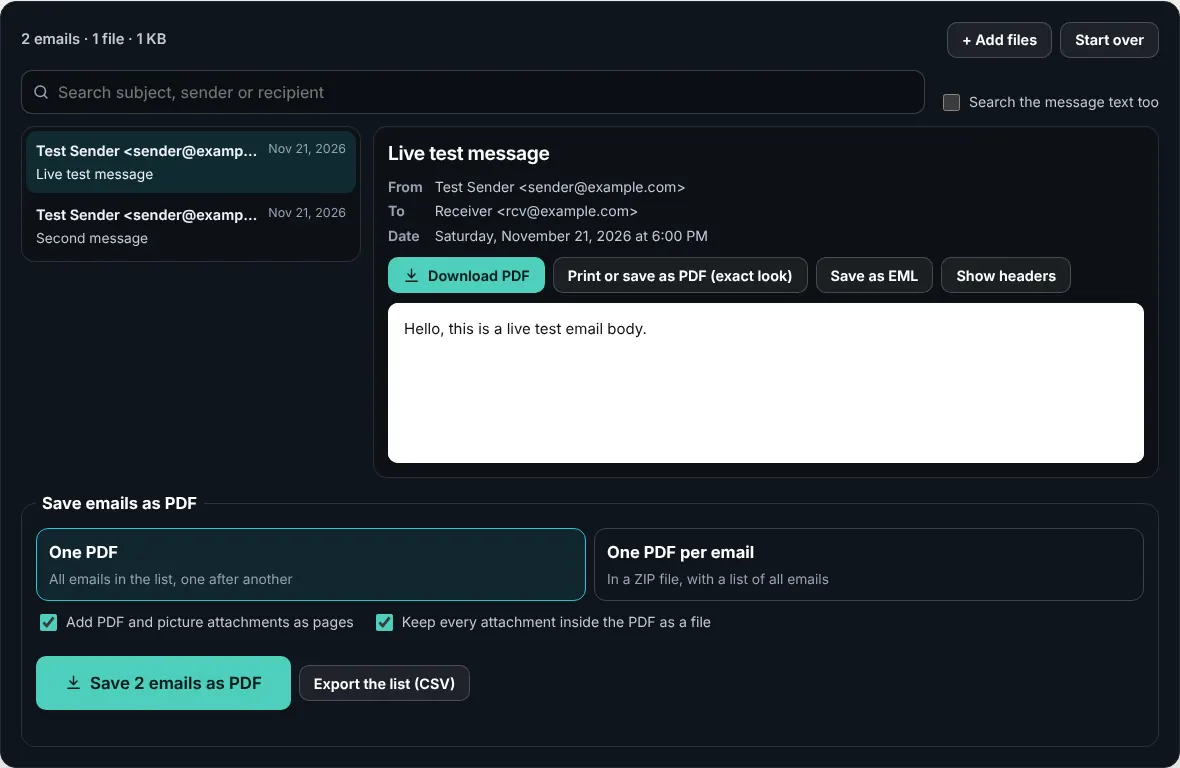
- The emails appear newest first while the file is being read. Click any email to read it.
- Search by subject, sender or recipient, or tick Search the message text too to search every email's text.
- Save single emails or everything you found as PDF, or export the list of emails as a CSV spreadsheet.
Where MBOX files come from
- Gmail and Google Workspace: Google Takeout delivers your mail as one MBOX file per label, such as "All mail Including Spam and Trash.mbox".
- Thunderbird stores every folder as an MBOX file without an extension, such as "Inbox" or "Sent".
- Apple Mail exports mailboxes as a folder with an "mbox" file inside.
- Many email archiving and hosting services export old mailboxes as MBOX.
Useful for
- Looking up an old email or attachment in a backup without importing it into an email program.
- Checking what a Google Takeout export contains before you delete an account.
- Collecting the emails about one subject into a single PDF for a lawyer, an auditor or an insurer: search, then Save emails as PDF.
Where your file goes
Email files are full of private things: names, addresses, contracts, invoices and conversations. Online converters upload them to their servers. This one reads them in your own browser, so nothing leaves your device, nothing is stored and there is no size or daily limit. You can even go offline after the page has loaded.
Frequently asked questions
How do I open a Gmail Takeout MBOX file?
Unzip the Takeout download, then drop the .mbox file from the Mail folder on this page.
Is there a size limit?
No fixed limit. The file is read from your disk in parts, so multi-gigabyte mailboxes work; only the email you are reading is held in memory.
Is my mailbox uploaded?
No. It stays on your device and is read by your browser.
Can I export MBOX to PDF?
Yes. Search for the emails you need, or keep them all, and save them as one PDF or one PDF per email.
Does it open Thunderbird folders?
Yes. Thunderbird folders such as Inbox are MBOX files without an extension. Drop them here.