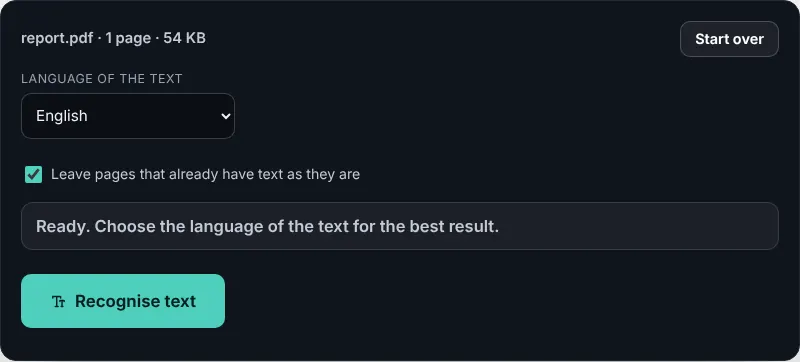
How to make a scanned PDF searchable
- Drop your scanned PDF on the page. A JPG or PNG photo of a page works too.
- Choose the language of the text. English is always read as well, so mixed documents work.
- Press Recognise text. Each page is read in turn; a typical page takes a few seconds.
- Download the searchable PDF, or the text file. The recognised text is also shown on the page, ready to copy.
What you get
- Searchable PDF: the same pages, with an invisible layer of text placed exactly over the words. Press Ctrl+F to find a word, or select and copy a paragraph.
- Text file (TXT): all the text, page by page, for pasting into an email, a spreadsheet or a translation tool.
- Pages that already contain real text are left as they are, so mixed files come out right.
Need an editable Word file? Run the searchable PDF through PDF to Word.
Tips for the best result
- Scans at 300 DPI read best. Phone photos work if the page is flat, sharp and evenly lit.
- Choose the right language: accents and letters such as ä, ñ, ç or Greek are read far better with it.
- Handwriting is not read reliably; printed and typed text is.
Where your file goes
Your file is processed by your own browser, on your own device. It is never uploaded, so there is no page limit, no daily limit and no watermark, and confidential documents stay private. Contracts, invoices, bank letters and ID scans are exactly the documents people should not upload to a stranger's server.
Compared with iLovePDF
| What you get | PC Multiverse | iLovePDF |
|---|---|---|
| Price | Free | Free Basic plan, then Premium at $9 a month (or $60 a year) |
| Free limits | No daily limit, no file count limit | “Limited document processing” on the free plan |
| File size | Limited only by your device's memory | For example 100 MB per Merge task, 200 MB for Compress, 25 MB for PDF to JPG |
Because everything runs in your browser, very large PDFs depend on how much memory your device has.
iLovePDF details are from its public pricing page, read on 21 November 2026, and may have changed since. iLovePDF is a trademark of its owner; we are not affiliated with it.
Frequently asked questions
Is this OCR tool free?
Yes. No page limit, no account and no watermark. iLovePDF, Smallpdf and Adobe keep OCR for paying customers.
Is my PDF uploaded?
No. Text recognition runs inside your browser. The recognition files (a few MB) download once and are then kept by your browser.
Which languages can it read?
English, German, Spanish, French, Italian, Portuguese and Greek. English is always read as well as the language you choose.
Will the PDF look different?
No. The pages stay exactly as they were; the text is added as an invisible layer on top.