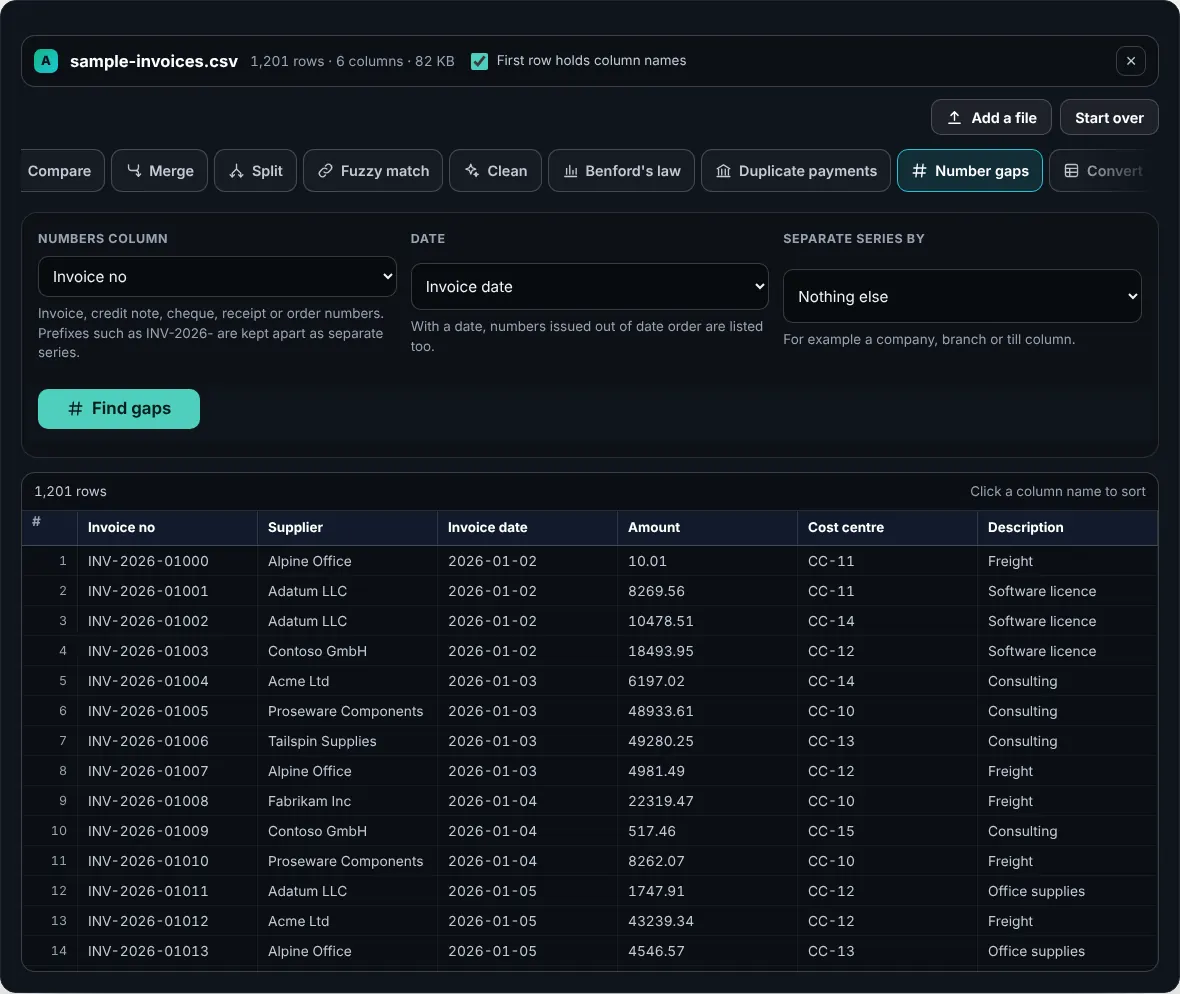
How to check a number sequence
- Drop the sales invoice list, cheque register, receipt book or any export with sequential numbers.
- Choose the numbers column. Optionally choose a date column to find numbers issued out of order, and a column that separates series, such as company, branch or till.
- Press Find gaps. The Missing numbers tab lists every gap as a range with its size; Used twice lists numbers that appear more than once; Out of date order lists numbers whose date is earlier than the number before them.
How numbers are read
The number is the last run of digits in each value, and everything before and after it is its series. INV-2026-00041, INV-2026-00042 and CN-2026-0007 make two series, invoices and credit notes, each checked on its own. Leading zeros are kept in the results, so the missing numbers are written exactly as your system would print them.
Why gaps matter
Most tax authorities require invoice numbers to follow one unbroken sequence, and a tax inspector's first test is often exactly this one. A gap can be innocent, such as a cancelled invoice that was never kept, a test invoice or a system jump, but every gap should have an explanation on file. Gaps can also mean sales that were invoiced and then deleted, which is why auditors call this a completeness test. Duplicated numbers point to two systems issuing invoices, or to manual invoices outside the system.
Out of date order finds numbers issued with an earlier date than the number before them: invoices that were backdated, or a second invoice book used at the same time.
Also useful for
Cheque numbers and payment references in bank exports, purchase order and goods receipt numbers, credit notes, delivery notes, employee or asset numbers, and any ticket or receipt series.
Where your file goes
Your spreadsheet is opened by your own browser and processed on your own computer or phone. It is never uploaded: there is no server that could see your customers, suppliers, salaries or payments, nothing to delete afterwards, and you can even disconnect from the internet once the page has loaded. That makes it safe for client files, personal data under the GDPR and audit evidence, which you should never send to an online converter that uploads them.
Frequently asked questions
Is it free?
Yes. No account, no row limit, no watermark and no trial. The site is paid for by the adverts on the page.
Is my file uploaded?
No. The file is read and processed by your browser on your own device. Nothing is sent to any server, so it is safe for confidential data.
My numbers have a prefix and a year. Does it work?
Yes. Everything around the last run of digits is treated as the series name, so INV-2026-0001 and INV-2025-0001 are checked as two separate series.
A gap of thousands is reported. Why?
Usually a system changed number ranges, or one wrong value such as a typo. Check the first and last numbers of the series in the Series tab.
Can I check several companies in one file?
Yes. Choose the company column under Separate series by, and each company's numbers are checked on their own.