How to convert a PDF to PNG
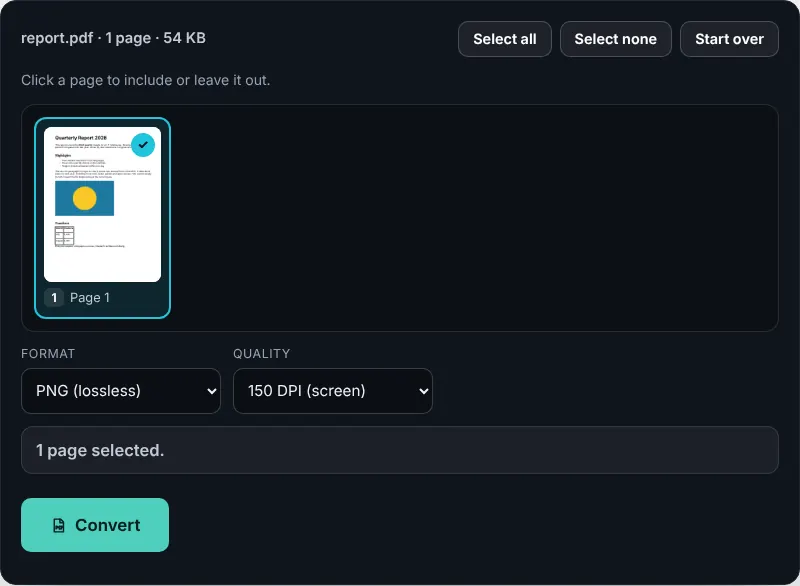
- Drop your PDF on the page.
- Select the pages you want, or keep all.
- Choose the resolution and press Convert.
- Download the images one by one or as a ZIP.
Why PNG for documents
PNG is lossless: text edges and thin lines stay perfectly sharp, without the blur JPG compression adds around letters. It is the right choice for presentations, documentation, diagrams and anything you will zoom into. Photos inside the PDF make PNG files larger than JPG; if size matters more than sharpness, use PDF to JPG.
Where your file goes
Your files are processed by your own browser, on your own device. They are never uploaded, so there is no size limit, no daily limit and no watermark, and private documents stay private.
Compared with iLovePDF
| What you get | PC Multiverse | iLovePDF |
|---|---|---|
| Price | Free | Free Basic plan, then Premium at $9 a month (or $60 a year) |
| Free limits | No daily limit, no file count limit | “Limited document processing” on the free plan |
| File size | Limited only by your device's memory | For example 100 MB per Merge task, 200 MB for Compress, 25 MB for PDF to JPG |
Because everything runs in your browser, very large PDFs depend on how much memory your device has.
iLovePDF details are from its public pricing page, read on 21 November 2026, and may have changed since. iLovePDF is a trademark of its owner; we are not affiliated with it.
Frequently asked questions
Is PDF to PNG lossless?
The PNG itself is lossless. Pages are drawn at the resolution you choose, so pick 300 DPI for print-quality detail.
Can I get a transparent background?
Pages are rendered on white, like on paper. Most PDFs have a white page background anyway.
Is there a page limit?
No. Large PDFs take a little longer because every page is drawn on your device.
Is my file uploaded?
No. The conversion runs entirely in your browser.