Choose an email in the list to read it.
PST and OST file viewer
Open an Outlook data file on any computer. Drop a .pst or .ost file to see its folders and emails, search them, and save emails as PDF or EML with their attachments.
Your file stays on your device. This tool works inside your browser. The file is not uploaded to us or to anyone else. How we handle files
0%
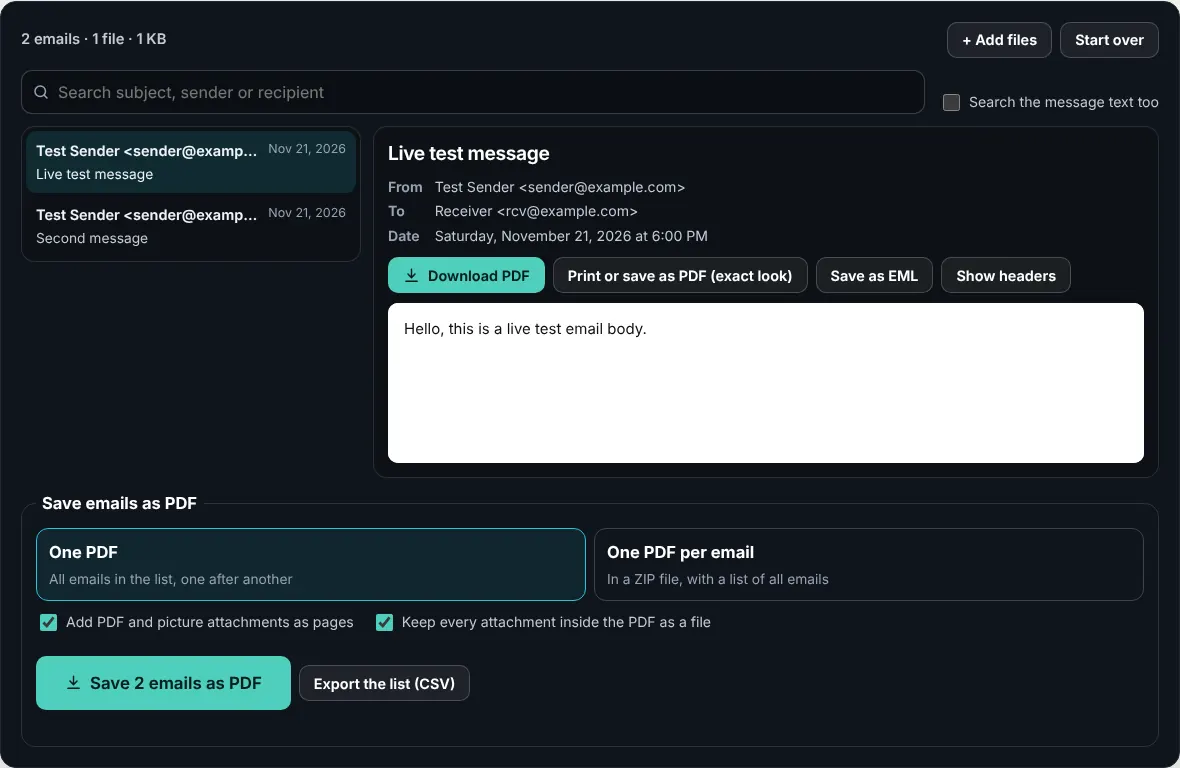
How to open a PST file
- Drop the .pst or .ost file on the page, or choose it. The file is read straight from your disk in small pieces, so large archives work and nothing has to be copied.
- Choose a folder (Inbox, Sent Items, archive folders and so on) or keep All folders.
- Click an email to read it. Click an attachment to save it.
- Save one email as PDF or EML, or save everything you found as PDF, and export the list as CSV.
When you need a PST viewer
- An old computer or a former employee's mailbox: IT often gets a PST file and needs to find one email without setting up Outlook.
- Outlook archives (archive.pst) from years ago, when Outlook is no longer installed.
- Audits, disputes and data requests: find every email with a supplier or about a project, and hand it over as PDF.
- Moving to Gmail or Apple Mail: open the emails you want to keep and save them as EML.
PST and OST
A PST file is an Outlook archive or a mailbox exported from Outlook. An OST file is the offline copy that Outlook keeps of an Exchange or Microsoft 365 mailbox. Both use the same structure and both open here, including Unicode files from Outlook 2003 to Microsoft 365. Password-protected PST files are not supported yet.
Where your file goes
Email files are full of private things: names, addresses, contracts, invoices and conversations. Online converters upload them to their servers. This one reads them in your own browser, so nothing leaves your device, nothing is stored and there is no size or daily limit. You can even go offline after the page has loaded.
Frequently asked questions
Can I open a PST file without Outlook?
Yes. This page reads the PST file itself in your browser, on Windows, Mac or Linux, with no Outlook installed.
Is my PST file uploaded?
No. It is read from your own disk and never leaves your device.
How big can the PST file be?
There is no fixed limit. The file is read in small pieces, so archives of several gigabytes work; reading the list of emails takes longer for very large files.
Can I open an OST file?
Yes. OST files from Outlook use the same format and open the same way.
Can I convert a PST to PDF?
Yes. Choose a folder or search, then save the emails as one PDF or one PDF per email, with attachments.
Is it free?
Yes. No account, no trial and no limit on the number of emails you save.