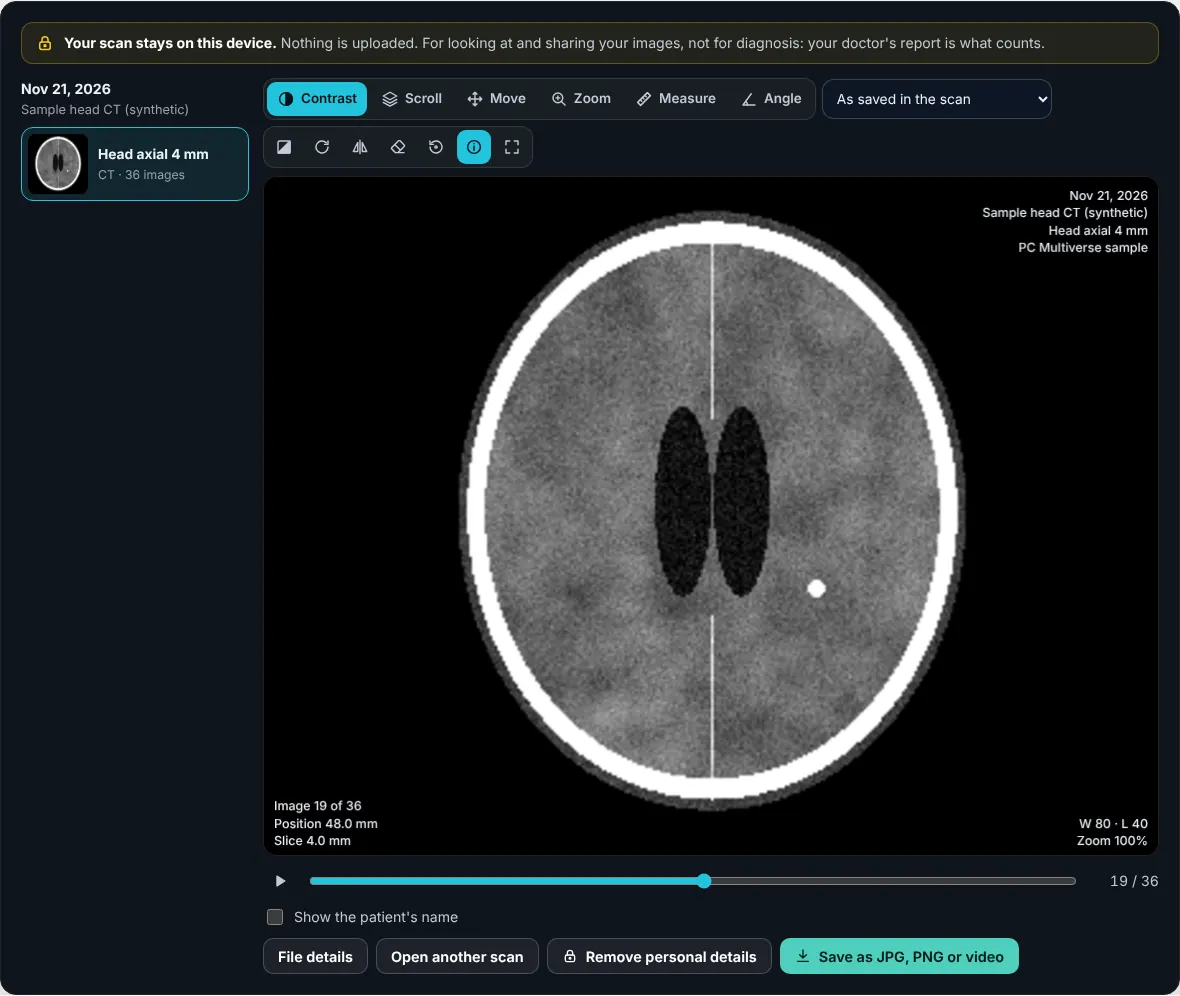
How to open your scan
- Put the CD in the drive or plug in the USB stick. If you got a download link, save the ZIP file.
- Press Choose a folder and pick the CD or USB stick itself, or drop the whole folder on the page. A ZIP file can be chosen as it is.
- The viewer reads every file, finds the scan images and sorts them into series, for example "T2 axial" or "Chest 1.25 mm". The biggest series opens first.
- Scroll through the images with the mouse wheel, the arrow keys or the slider. On a phone or tablet, choose Scroll and drag.
- Drag on the image to change brightness and contrast, or pick a preset such as Brain, Lungs or Bone on a CT scan.
- Press Save as JPG, PNG or video to keep one image, the whole series or a short video you can send by phone.
No CD drive?
Most new laptops have no CD drive. Three easy ways to get the files:
- Ask the hospital or imaging centre for a USB stick or a download link instead. Many offer it for free, and you can open the ZIP here directly.
- Use any computer with a drive (a family member's or a library's) to copy the whole CD to a USB stick. Copy everything, including the folders with strange names.
- Buy a USB CD/DVD drive. They cost little and work with Windows, Mac and Chromebook.
Finding your way around an MRI
An MRI is made of several series, each one a stack of images. Each series shows the body with a different sequence or from a different direction:
- Axial slices go across the body, as if seen from the feet. Sagittal slices go from the side. Coronal slices go from the front.
- On T1 images fat is bright and fluid is dark. On T2 and STIR images fluid is bright, which is why swelling and fluid stand out.
- Series marked +C, GAD or post were made after a contrast injection.
Scroll slowly through a series, from one end to the other, and use the series list to switch direction.
Finding your way around a CT
A CT stores real density values, measured in Hounsfield units. That is why the presets help so much: Lungs shows the lung tissue, Bone shows the skeleton, Brain the brain and Soft tissue the organs of the abdomen. Thin series (0.5 to 1.25 mm) have hundreds of images; thick ones (3 to 5 mm) are easier to scroll through.
Before you share your images
The images carry your name and date of birth inside the files. When you save pictures here they contain only the image, and the scan details on the picture are switched off unless you choose them. This viewer is not a medical device and not for diagnosis. It helps you look at and share your own images. The report written by the radiologist, and your doctor's advice, are what count. Exported JPG and PNG pictures are reduced to 8 bits per pixel, so they show less detail than the original files: always give the original CD or files to a doctor.
The viewer runs entirely in your browser. Your scan is read from the CD, USB stick or folder on your own device and is never uploaded, so there is no file limit, no account and nobody else sees your images. Under the EU GDPR, health data is a special category of personal data: the safest way to handle it is not to send it anywhere, which is exactly how this tool works.
Frequently asked questions
Can I open an MRI CD on a Mac?
Yes. The Windows viewer on the CD does not run on a Mac, but this one does: choose the CD (or the copied folder) with Choose a folder in Safari, Chrome or Firefox.
The CD shows only a program and odd folders. Where are the images?
Usually in a folder called DICOM, IMAGES, DATA or with numbers as names, often next to a file called DICOMDIR. You do not need to find them: choose the whole CD and the viewer finds the images itself.
Why do some images look grainy or dark?
Use the contrast tool or a preset. Diffusion and some fast sequences are grainy by nature. Thin CT slices are noisier than thick ones.
Can I send the images to family or a second opinion?
Save the series as a video or a ZIP of pictures to show family. For a second opinion, a doctor needs the original files: give them the CD or a copy of the whole folder.
Is my scan uploaded?
No. The files are read by your browser on your own device. Nothing is sent to us or anyone else, and nothing is stored after you close the page.
Is this viewer free?
Yes. No account, no trial, no watermark and no limit on the number or size of files.
Can I use it to diagnose myself?
No. This is not a medical device. It helps you see and share your images, but only a radiologist's report and your doctor can tell you what they mean.