How to convert audio to text
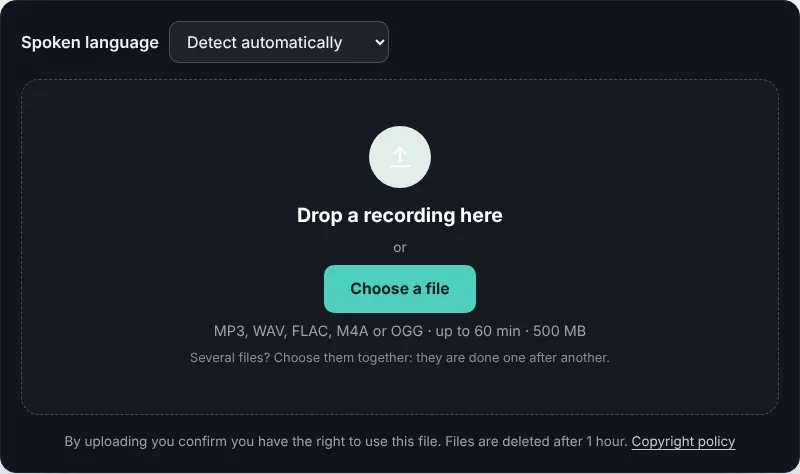
- Choose your recording. Drag it onto the box above or tap to pick it. MP3, WAV, FLAC, M4A, AAC, OGG and OPUS files up to 60 minutes and 500 MB work. Pick the spoken language, or leave it on "Detect automatically".
- Wait while the AI listens. Your file is transcribed on our servers. A 10-minute recording usually takes a few minutes. If other people are ahead of you, the page shows your place in the queue.
- Check, correct and download. Read the transcript next to the player, fix any word, and download it as TXT, Word, SRT or VTT.
Check and correct the transcript in the page
Your transcript opens as a list of short lines, each with its time. Play your file in the page and the line being spoken lights up. Click a time to jump to that moment, and click any line to fix a word, a name or a spelling. Every download is made from the text as it is after your corrections, so you never have to fix the same mistake twice in two different files.
- TXT for notes, articles, emails and AI summaries.
- Word (DOCX) for documents you will edit further or share.
- SRT and VTT subtitle files for YouTube, Vimeo, Premiere Pro, DaVinci Resolve, CapCut, VLC and most other players and editors.
- Copy all to paste the whole text anywhere.
Turn on "Timestamps in text" to add a [minutes:seconds] mark at the start of every paragraph, which makes it easy to find a quote again in the recording.
How the AI speech to text works
The transcript is made by Whisper, an open speech recognition model released by OpenAI under the MIT licence, running on our own servers. Whisper was trained on hundreds of thousands of hours of speech in many languages, so it copes with accents, background noise and fast speakers far better than the speech recognition built into phones and office software a few years ago. It also adds punctuation and capital letters, so the text reads like writing rather than a stream of words.
Before the model listens, a voice detector skips long silences and music-only parts, which keeps the timing accurate and stops the AI from inventing words where nobody speaks. The model also records the time of every word, and we use those times to cut the text into lines that are short enough for subtitles: at most two lines of 42 characters and about seven seconds on screen.
Getting the most accurate transcript
- Choose the language if you know it. Detection is reliable on clear speech, but a short clip that starts with music or a greeting in another language can be detected wrongly.
- Use the cleanest recording you have. One speaker close to the microphone gives the best result. If the recording is very noisy, run it through the noise remover first.
- Names, brands and jargon are the most common mistakes, because the AI writes what it hears. Search for them in the transcript and correct them once before downloading.
- People talking over each other are hard for any transcription service. The words are usually there, but in one line.
What people transcribe
- Meetings and calls recorded on a phone or laptop, to share notes with people who missed them.
- Lectures and classes, to study from text and search for a topic instead of listening again.
- Interviews for articles, research and podcasts.
- Voice notes and dictation you recorded on the move and want as an email or a document.
- Sermons, talks and speeches to publish as an article or a blog post.
Why this is free here
Most transcription services charge per minute or per month, or give free users a few minutes before asking for a subscription. We run an open-source model on our own hardware, so a transcript costs us electricity rather than a licence fee per minute, and the adverts on the page pay for that.
Frequently asked questions
Which languages does it understand?
About 100, including English, Spanish, Portuguese, German, French, Italian, Greek, Arabic, Hindi, Chinese, Japanese, Russian and Turkish. Accuracy is highest for widely spoken languages and lower for languages with little training data. Leave "Detect automatically" on, or pick the language yourself.
How accurate is it?
On a clear recording of one person speaking a common language, most sentences come out right, with punctuation. Accuracy drops with heavy background noise, strong accents, people talking over each other and unusual names. That is why the transcript opens in an editor: fix the few mistakes before you download.
How long can the recording be?
Up to 60 minutes and 500 MB per file, and 10 files a day. Longer recordings can be cut into parts with a free editor such as Audacity and uploaded together: they are done one after another.
Does it label who is speaking?
Not yet. The transcript is split into lines and paragraphs at pauses, but it does not name the speakers. In an interview you can add the names yourself while you check the text.
Is it really free?
Yes. There is no account, no watermark and no paid tier. The site is paid for by the adverts you see on the page. To keep it fair for everyone there is a daily limit of 10 files per visitor.
What happens to my recording?
It is transcribed on our own servers and deleted automatically, together with the transcript files, 1 hour after you upload it. Nobody listens to it, we do not share it, and we never use it to train AI models. Playback in the editor uses the copy on your own device.
Can I transcribe other people?
Only upload recordings you are allowed to use, for example your own meetings, interviews where the other person agreed to be recorded, or lectures you may record. The rules on recording conversations differ between countries.