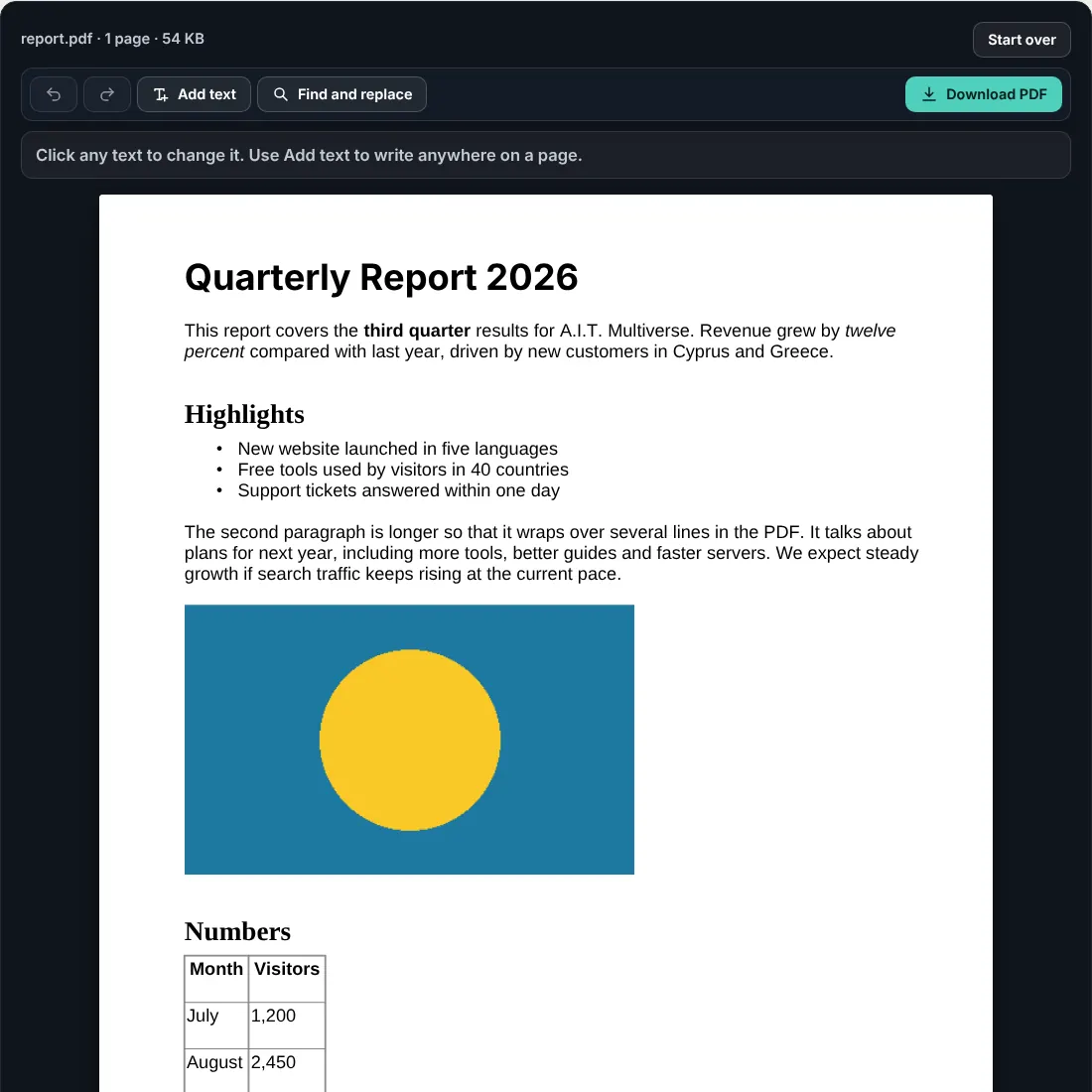
How to change text in a PDF
- Open the PDF on this page.
- Click the paragraph with the words you want to change. The original letters are taken off the page and you type in their place.
- Select a few words to make only those bold, italic, bigger or another colour, or leave everything as it was.
- Press Done, check the page, and download the PDF.
To change the same word many times, open Find and replace, type the old and new word, and press Replace all. The editor tells you how many times and on how many pages it was replaced.
How the editor keeps the original look
Most free online "PDF editors" do not change the text that is already in a PDF. They paint a white box over it and type new words on top, in a different font. The old words are still in the file underneath, and anyone who copies the text or opens the PDF in another program can find them.
This editor changes the page itself:
- It reads every word on the page with its exact font, size, colour and position.
- When you change a paragraph, the old letters are removed from the page, not covered. Everything else (pictures, lines, tables, other text) stays exactly where it was.
- The new words are written with the document's own embedded font whenever that font contains every letter you typed. Font size, colour, letter spacing, line spacing and alignment are kept.
- PDFs usually contain only the letters they use (a "subset" of the font). If you type a letter the file does not have, the editor uses a free font with the same widths as the original family: a Calibri-style, Cambria-style, Arial-style, Times-style or Courier-style font. You can see which one was used under the toolbar.
The result is a normal PDF with real, selectable text that opens in Adobe Reader, Chrome, Edge, Preview and every other PDF reader.
Why the white-box method is a problem
Covering text with a white rectangle and typing on top looks fine on screen, but:
- The old text is still there. Copying the page, searching it or opening it in another program shows the original words. That is a real risk with amounts, names and personal data.
- It looks patched. The new words use another font and rarely sit on the same line as the rest.
- Printers and dark mode show it. On coloured paper, in dark mode or with background images, the white box is visible.
Here the old letters are removed from the page's content, and the new ones are written as real text in the same font.
Getting the best match
- Small changes keep the original font. A PDF only contains the letters it uses, so changing "2025" to "2026" or "Smith" to "Smyth" almost always uses the original font.
- New letters may switch to a twin font. If a letter is missing from the file, a free font with the same widths as the original family is used for that paragraph. Calibri documents get a Calibri-style font, Times New Roman documents a Times-style font, and so on.
- Selecting text and pressing B or I switches that text to the bold or italic of the matching family.
What it cannot do (yet)
- Scanned pages are pictures of text, so there is no text to change. Use Add text to write on them.
- Protected PDFs with a password or "no editing" restriction cannot be changed. Open the file in your PDF reader, save or print a copy without protection, then edit that copy.
- Text drawn inside a design element (some logos, stamps and form templates) can be shown but not edited.
- Letters outside Latin, Greek and Cyrillic (for example Arabic or Chinese) are not available in the editor's fonts yet.
- Editing works paragraph by paragraph. A very long edit may move the following lines of that paragraph, but never the rest of the page.
Where your file goes
The whole editor runs in your browser. Your PDF is opened and changed on your own device and is never uploaded, so there is no file size limit, no daily limit, no watermark and no account. Contracts, invoices, CVs and bank letters stay private.
Compared with iLovePDF
| What you get | PC Multiverse | iLovePDF |
|---|---|---|
| Price | Free | Free Basic plan, then Premium at $9 a month (or $60 a year) |
| Free limits | No daily limit, no file count limit | “Limited document processing” on the free plan |
| File size | Limited only by your device's memory | For example 100 MB per Merge task, 200 MB for Compress, 25 MB for PDF to JPG |
Because everything runs in your browser, very large PDFs depend on how much memory your device has.
iLovePDF details are from its public pricing page, read on 21 November 2026, and may have changed since. iLovePDF is a trademark of its owner; we are not affiliated with it.
Frequently asked questions
Is the old text really removed?
Yes. The letters you changed are taken out of the page's content, so they cannot be found by copying, searching or opening the PDF in another program.
Can I replace a word on every page?
Yes. Use Find and replace: it changes every occurrence in the editable text of the document and tells you how many it changed.
Is this PDF editor really free?
Yes. There is no account, no watermark, no daily limit and no paid version. The site is paid for by advertising.
Is my PDF uploaded?
No. The editor runs in your browser, so the file never leaves your device.
Does it change the original text or only cover it?
It changes the original text. The old letters are removed from the page and the new ones are written in their place, so nothing hidden is left behind.
Will the font look the same?
Yes when the PDF's own font has every letter you type, which is usual for small corrections. Otherwise a free font with the same widths as the original family is used, for example a Calibri-style font for documents written in Calibri.
Can I edit a scanned PDF?
Not the scanned words, because a scan is a picture. You can add new text anywhere on the page.