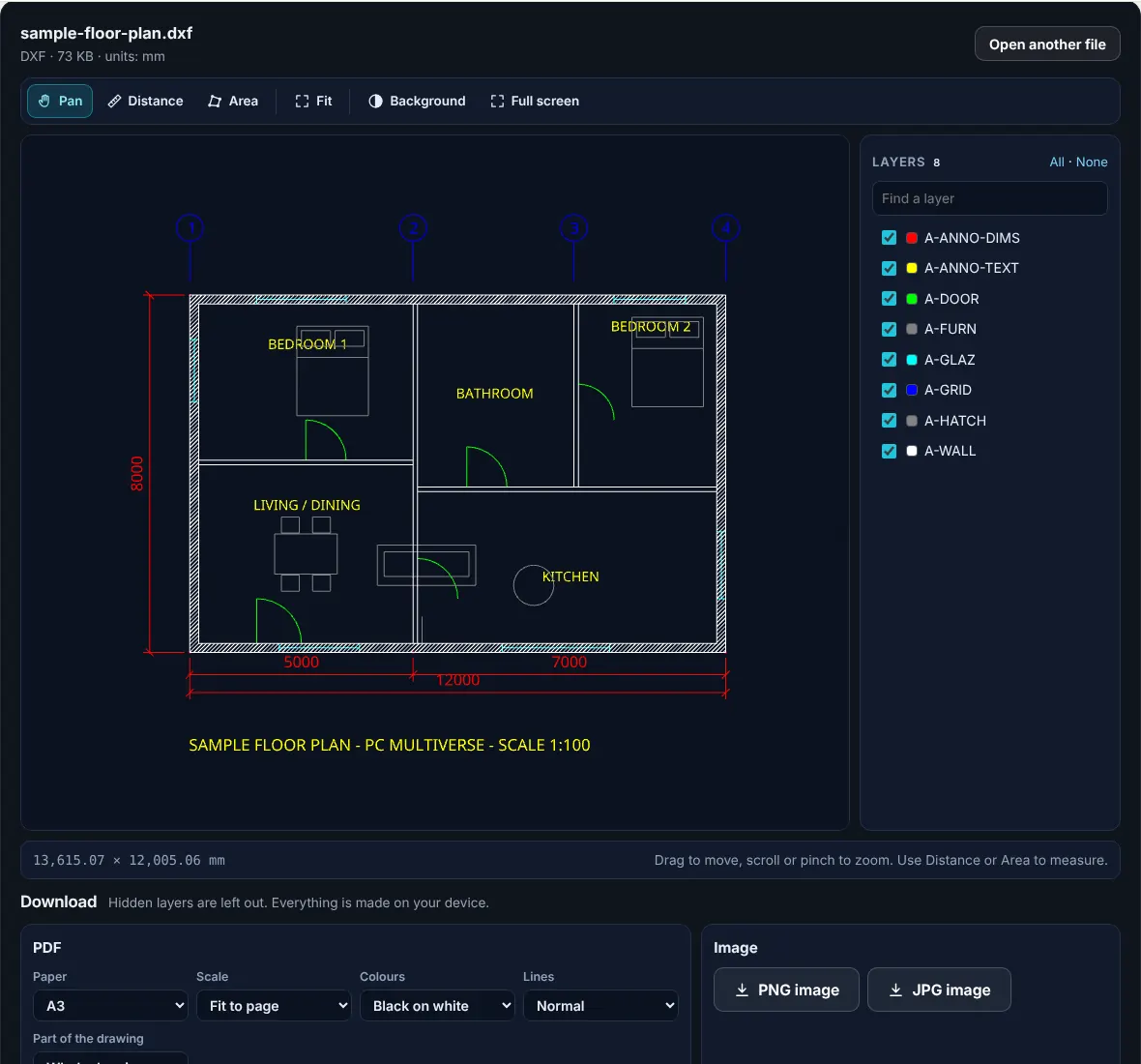
How to view a DXF file
- Drop the DXF on the page or choose it. Text (ASCII) DXF from AutoCAD R12 to 2018 and later opens.
- Drag to move, scroll or pinch to zoom, press Fit for the whole drawing.
- Switch layers on and off in the Layers list. Hatches, dimensions, text, blocks and splines are drawn.
Check a DXF before you cut or send it
DXF is the file laser cutters, CNC shops and sign makers ask for. Before you send one:
- Measure the overall size with Distance: click two corners. The cursor snaps to line ends, so the number is exact.
- Check the units: the viewer shows the units stored in the file (for example units: mm). A part drawn in inches but sent as millimetres is cut 25.4 times too small.
- Look for stray objects: press Fit. If the drawing becomes tiny, there is something far away from it, which many machines also cut.
- Check the area of a part for material or price estimates with Area.
Save as PDF or image
Download a vector PDF (A4 to A0, to scale or fitted) for approval by a client, or a PNG/JPG for a message or a quote. Hidden layers are left out.
Where your file goes
Your drawing is opened by your own browser, on your own device. It is never uploaded, so there is no file size limit apart from your computer's memory, no daily limit, no account and no watermark, and confidential plans stay confidential.
Frequently asked questions
Is the DXF viewer free?
Yes, with no file limit, no account and no watermark.
Does it open binary DXF?
Text (ASCII) DXF files open, which is what nearly all programs write. If a binary DXF does not open, save it again as ASCII DXF.
Can I see the drawing's dimensions?
Yes. Dimension objects in the file are drawn, and you can measure any distance or area yourself with snapping to line ends.
Can I open DXF files on a Mac or Chromebook?
Yes. It works in any up-to-date browser: Chrome, Edge, Firefox and Safari.
Are my files uploaded?
No. The file is read by your own browser and never sent to our servers or anyone else. That is why there is no size limit and no daily limit.
Why does it take a moment the first time?
The first time, your browser downloads the viewer itself (a few MB). After that it is cached and opens quickly.