How to compress a PDF
- Drop your PDF on the page, or several PDFs at once: you get them back in one ZIP.
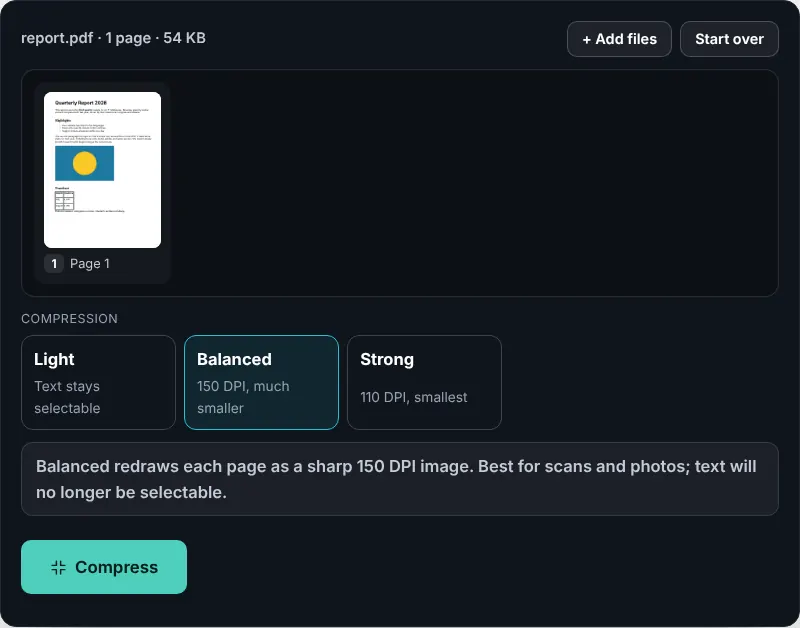
- Choose a level:
- Light: keeps the text selectable and only cleans up and re-packs the file. Best for documents made on a computer.
- Balanced: pages become high-quality images at 150 DPI. Great for scans and photo-heavy PDFs; usually much smaller.
- Strong: 110 DPI images with more compression, for the smallest file that is still readable.
- Press Compress. The page shows the old and new size; if the result is not smaller, it tells you and keeps your original.
Which level should I use?
Scanned documents and PDFs made from phone photos shrink dramatically with Balanced or Strong, often by 70 to 90%. PDFs exported from Word or other programs are mostly text and are already small; Light is the safe choice for them, because Balanced and Strong turn text into pictures, so it can no longer be selected or searched.
Common size limits
- Many government and job portals: 1 to 5 MB per file.
- Email attachments: about 20 to 25 MB.
Where your file goes
Your files are processed by your own browser, on your own device. They are never uploaded, so there is no size limit, no daily limit and no watermark, and private documents stay private.
Compared with iLovePDF
| What you get | PC Multiverse | iLovePDF |
|---|---|---|
| Price | Free | Free Basic plan, then Premium at $9 a month (or $60 a year) |
| Free limits | No daily limit, no file count limit | “Limited document processing” on the free plan |
| File size | Limited only by your device's memory | For example 100 MB per Merge task, 200 MB for Compress, 25 MB for PDF to JPG |
Because everything runs in your browser, very large PDFs depend on how much memory your device has.
iLovePDF details are from its public pricing page, read on 21 November 2026, and may have changed since. iLovePDF is a trademark of its owner; we are not affiliated with it.
Frequently asked questions
How much smaller will my PDF get?
Scans and photo PDFs often shrink by 70 to 90% on Balanced or Strong. Text-only PDFs are usually already small and shrink less.
Will the text stay selectable?
With Light, yes. Balanced and Strong turn each page into an image, which gives far smaller scans but makes the text unselectable.
Is there a size limit?
No. Your PDF is compressed on your device, so even large files work, limited only by your device's memory.
Is my PDF uploaded?
No. Nothing leaves your browser.